
Confirm cash on delivery orders on WhatsApp
Cash on delivery orders get a WhatsApp message with Confirm and Cancel buttons, and you see each customer's answer on the order.
Updated 19 Oct 2026 2 min read
On this page
Cash on delivery orders get a message with Confirm order and Cancel order buttons, in place of the usual "order placed" update. COD confirmation is part of Pro.
Where: Admin › WhatsApp › Automations › COD confirmation
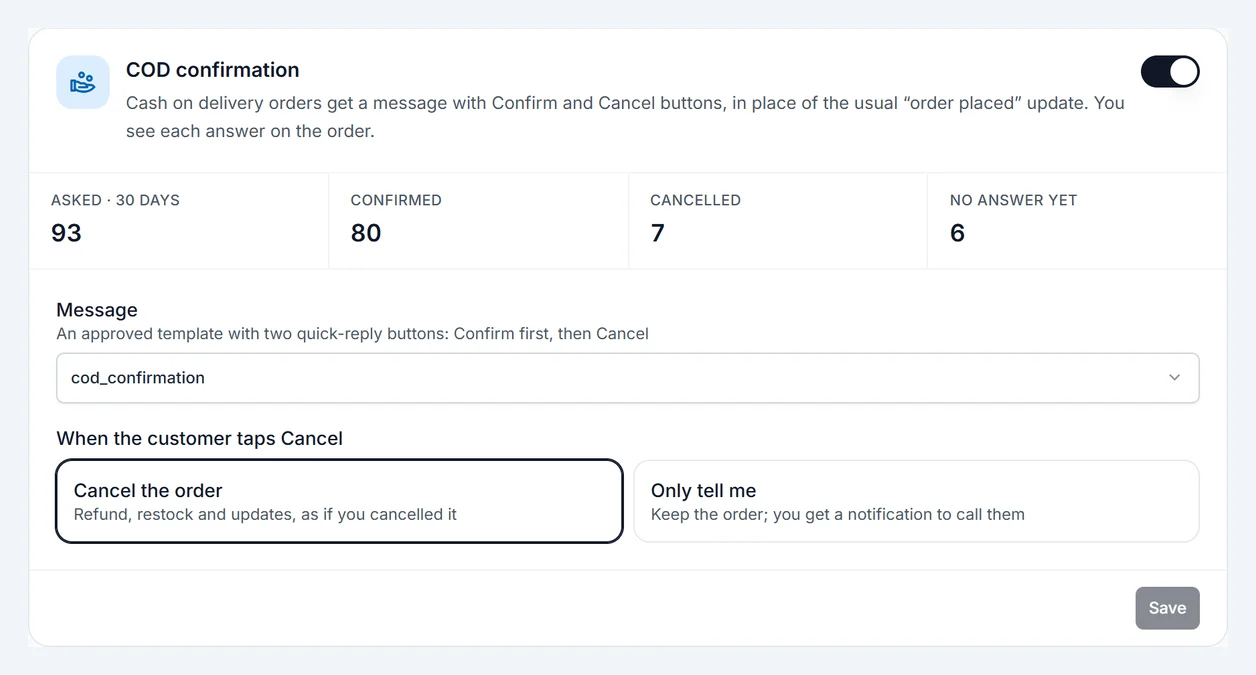
Set it up
- In WhatsApp › Templates, create a template from the COD confirmation starter and wait for it to be approved. It needs two quick-reply buttons: Confirm first, then Cancel.
- In Automations, under COD confirmation, choose the template.
- Choose Who gets asked:
- Every COD order.
- Only new customers: customers who already have a completed order with you are not asked again. Their orders get the usual "order placed" update instead.
- Choose what happens when the customer taps Cancel:
- Cancel the order: Zepio cancels it with refund, restock and updates, as if you cancelled it yourself.
- Only tell me: the order stays, and you get a notification to call the customer.
- Turn it on and click Save.
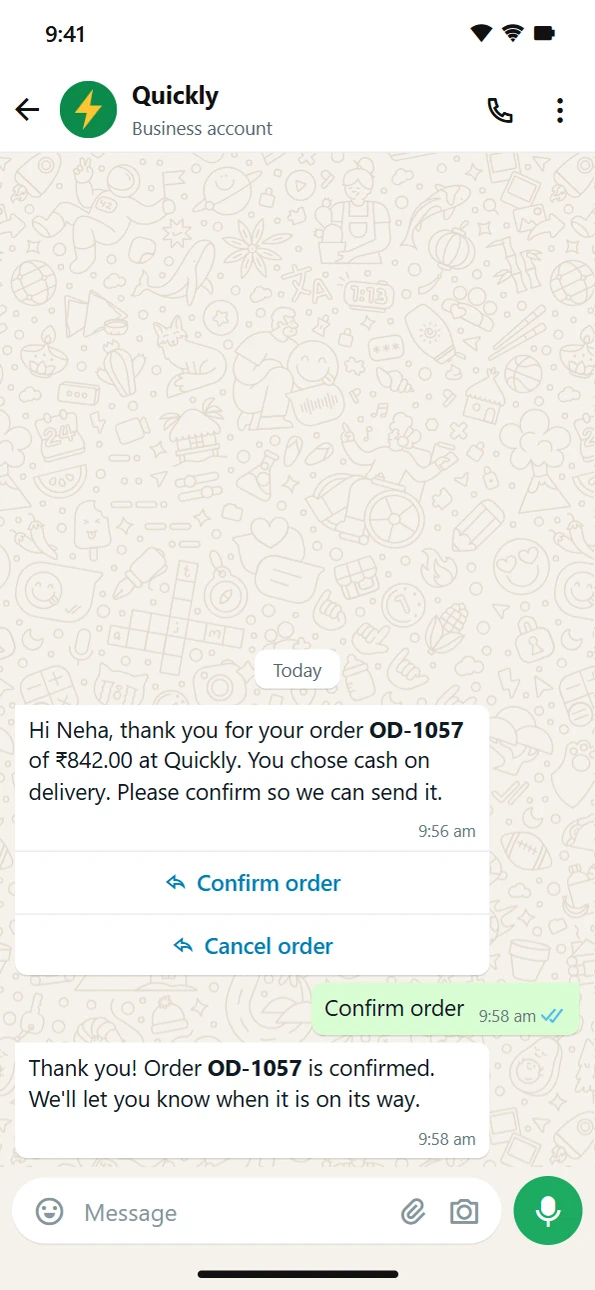
What the customer sees
- Taps Confirm order: they get a thank-you message and the order goes ahead.
- Taps Cancel order: depending on your choice, the order is cancelled or you are told.
- An order that is already on its way can't be cancelled from WhatsApp. The customer is told, and you get a notification.
Only the first tap counts. Replies to the buttons are free, because they answer the customer.
The order doesn't wait for the answer
The order comes in and goes ahead as usual, whether the customer has answered or not. The answer is there to help you decide: you choose whether to send an order that is still waiting.
When the message doesn't reach the customer
Sometimes WhatsApp can't deliver the message: the number isn't on WhatsApp, the customer has turned off messages from you, or the order has no phone number. Then:
- the order shows Not delivered: call to confirm, with the reason;
- you get a notification to call the customer before you send it.
See the answer on the order
Open the order. Under Order Status, WhatsApp confirmation shows one of:
- Confirmed by customer
- Cancelled by customer
- Customer asked to cancel
- Waiting for an answer
- Not delivered: call to confirm
The card in Automations shows the last 30 days: how many were asked, confirmed, cancelled, not answered yet and not delivered.