
Abandoned cart reminders on WhatsApp
Send a WhatsApp reminder to signed-in shoppers who left items in their cart, and see the orders it brings back.
Updated 19 Oct 2026 1 min read
On this page
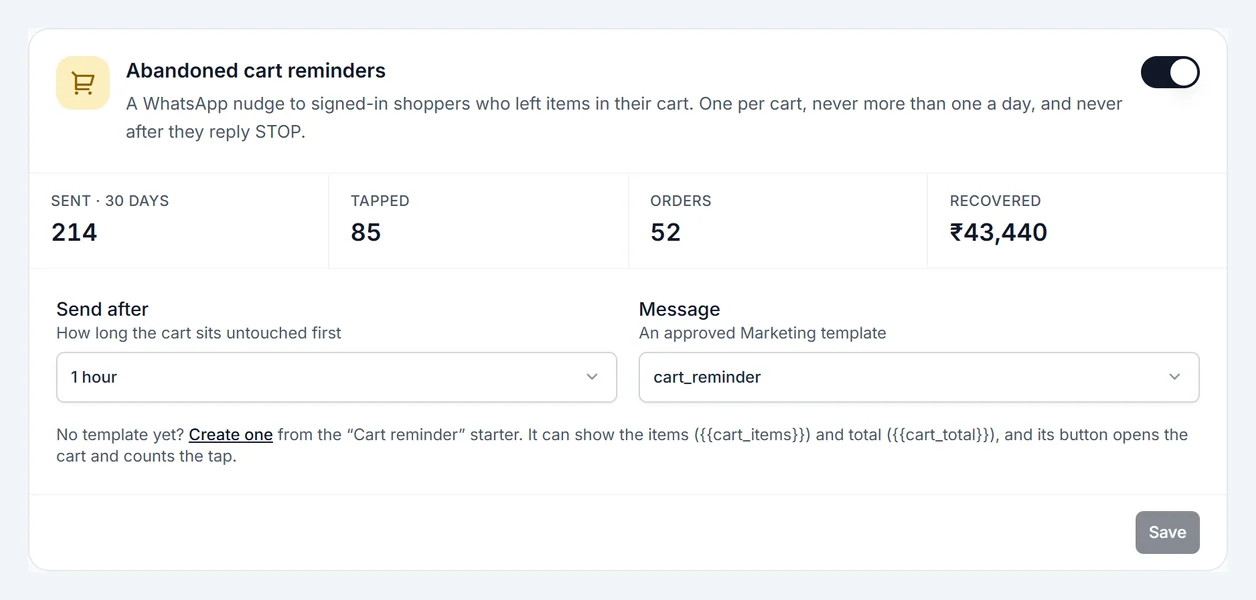
A WhatsApp message to shoppers who added items to their cart and left. Cart reminders are part of Pro.
Where: Admin › WhatsApp › Automations › Abandoned cart reminders
Set it up
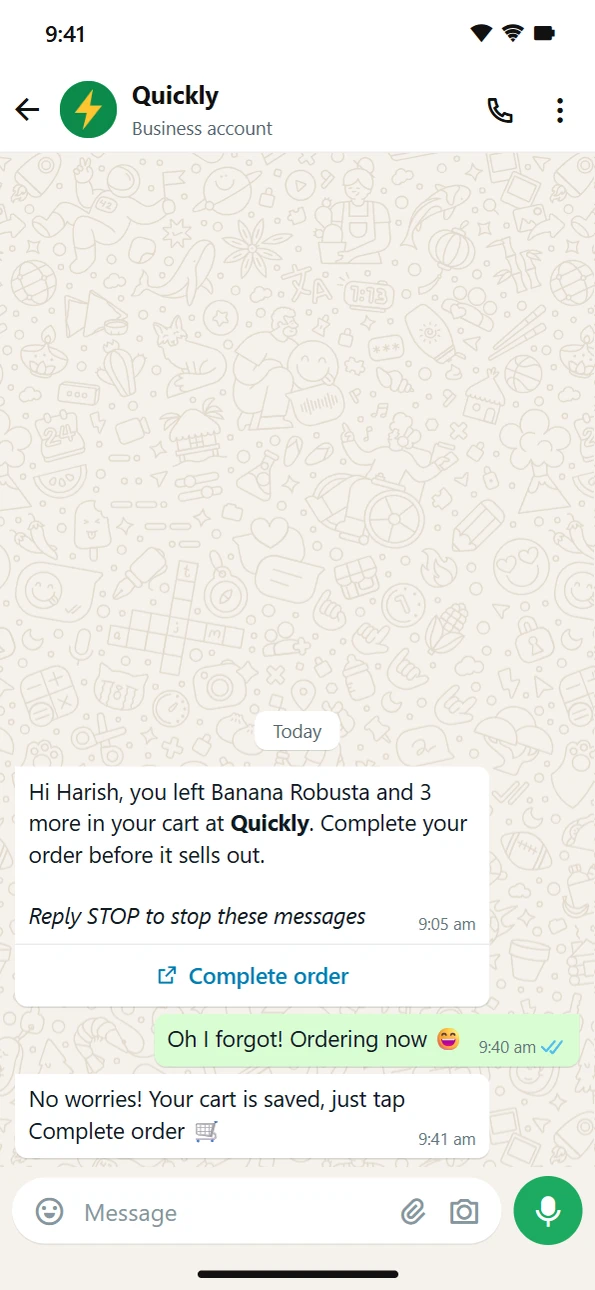
- In WhatsApp › Templates, create a template from the Cart reminder starter and wait for it to be approved. It can show the items ("{{cart_items}}", for example "Banana Robusta and 3 more") and the cart total ("{{cart_total}}"), and its button opens the cart.
- In Automations, under Abandoned cart reminders, choose Send after: how long the cart sits untouched first, from 30 minutes to 1 day.
- Choose the template under Message.
- Turn it on and click Save.
Who gets a reminder
- Shoppers who are signed in and have a phone number. Guests can't be reached.
- One reminder per cart. If the shopper changes the cart, it can be reminded again, but never more than once a day.
- Not while the shopper is paying, not after they order, and not for carts older than 2 days.
- Never to anyone who opted out (replied STOP, or one of your opt-out words in WhatsApp › Settings).
See what it recovered
The card shows the last 30 days: reminders sent, taps on the button, orders, and the money recovered. An order within 3 days of the reminder counts as recovered.
This is separate from the push notification cart recovery under Plugins. You can use both.