

On this page
- Why it matters
- Step 1: Put all stock in one place
- Step 2: Know your key numbers
- Step 3: Set a reorder point for each fast seller
- Step 4: Sort products with ABC analysis
- Step 5: Count a little, often
- Step 6: For food, sell by expiry date first
- Step 7: Deal with slow and dead stock
- A weekly inventory routine
- Mistakes to avoid
- Your inventory checklist
- How Zepio helps
To manage inventory for a small business, keep every product's stock in one place that updates with each sale, set a reorder point for each fast seller, keep a small safety stock, count your most valuable items most often, and, if you sell food, sell by expiry date first. A short weekly routine catches errors earlier than one big count a year.
Inventory management is knowing how much of each product you have, where it is, and when to order more, so you neither run out nor tie up money in stock that does not sell. This guide covers the numbers to track, the formulas with worked examples, and a routine you can follow.
Why it matters
Running out loses sales: a customer who cannot find their usual brand may buy elsewhere. Too much stock ties up cash, takes space and, for food, expires. Good inventory management keeps you between the two.
Step 1: Put all stock in one place
Before formulas, you need accurate numbers.
- One list of products, each with a code, unit (kg, pack, piece) and current stock.
- Stock that changes with every sale, in the shop and online. If your website and counter use separate lists, they will drift apart.
- One person responsible for receiving stock and updating counts.
- Barcodes if you have many products: scanning beats typing.

Step 2: Know your key numbers
| Number | Formula | What it tells you |
|---|---|---|
| Inventory turnover | Cost of goods sold ÷ average inventory | How many times stock sells through in a period. Higher means stock sells faster |
| Days of inventory | Average inventory ÷ average daily cost of goods sold | How many days your stock would last. Rising is a warning |
| Sell-through by product | Units sold ÷ units received | Which products move and which sit |
The first two come from OpenStax's accounting textbook, which notes that a rising days-of-inventory figure means stock is taking too long to sell (OpenStax). Use cost of goods sold, not sales, or the turnover looks better than it is.
Step 3: Set a reorder point for each fast seller
A reorder point is the stock level at which you place a new order, so the new stock arrives before you run out. Shopify's formula (Shopify):
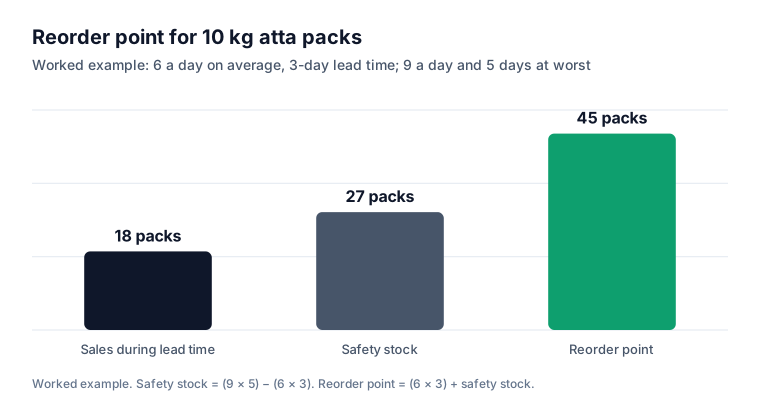
Reorder point = (average daily sales × lead time in days) + safety stock
Safety stock covers busy days and late deliveries. A simple version (Shopify):
Safety stock = (maximum daily sales × maximum lead time) − (average daily sales × average lead time)
Example: A grocery store sells 10 kg packs of atta. On average it sells 6 a day; on its busiest days, 9. The supplier usually delivers in 3 days, but sometimes takes 5. Safety stock = (9 × 5) − (6 × 3) = 45 − 18 = 27 packs. Reorder point = (6 × 3) + 27 = 45 packs. When stock falls to 45, order more.
Recalculate every few months, and before festivals when sales jump. Our guide to starting a quick commerce dark store shows how this works at high order volumes.
Step 4: Sort products with ABC analysis
Not every product deserves the same attention. ABC analysis sorts products by the revenue they bring, following the 80/20 idea. Shopify's guide describes A items as roughly 80% of revenue, B the next 15% and C the last 5%, as guidelines rather than fixed rules (Shopify).
| Class | Typical share of revenue | How to manage |
|---|---|---|
| A | About 80% | Reorder points, safety stock, count weekly, never run out |
| B | About 15% | Reorder points, count monthly |
| C | About 5% | Order in small amounts, count quarterly, consider dropping slow ones |
To do it: export sales by product for the last three months, sort by revenue, and mark the top products until you reach about 80% of revenue as A.
Step 5: Count a little, often
A cycle count is counting a small group of products on a schedule instead of everything at once. Shopify's ABC guide suggests counting A items first, then B, then C (Shopify).
| Day | Count |
|---|---|
| Monday | 10 A items |
| Wednesday | 10 more A items |
| First Friday of the month | All B items |
| End of quarter | All C items |
When the count and the system differ, find out why: a missed delivery entry, damage, theft or a wrong unit.
Step 6: For food, sell by expiry date first
Food and medicines need dates, not just quantities. The checklist used in FSSAI's Hygiene Rating audits asks that FIFO and FEFO are practised and that records include manufacturing, use-by or expiry dates and quantities, and that foods of animal origin are stored at or below 4°C (FSSAI).
- FIFO (first in, first out): sell older stock before newer stock.
- FEFO (first expiry, first out): sell what expires first, even if it arrived later. For food, FEFO cuts the risk of selling expired stock.
Put new stock behind old stock on shelves, write expiry dates on crates, and check short-dated items every morning. Our guides to starting a grocery delivery business and a fruit and vegetable delivery business cover wastage in more detail.
Step 7: Deal with slow and dead stock
Every few months, list products that have not sold in 60 or 90 days.
- Bundle them with fast sellers.
- Discount them, carefully; see discount and coupon ideas.
- Return them to the supplier if your terms allow.
- Stop reordering them.
Then use the cash for your A items. A break-even calculator shows how many sales a product needs to cover its costs.
A weekly inventory routine
| When | Task | Time |
|---|---|---|
| Every delivery | Check against the order, update stock, note expiry dates | 10 minutes |
| Every morning | Check short-dated food; move it forward | 10 minutes |
| Monday | Look at the low-stock list; place orders for items at their reorder point | 20 minutes |
| Twice a week | Cycle count 10 A items | 15 minutes |
| Monthly | Count B items | 1 hour |
| Quarterly | Review slow movers (no sale in 60 to 90 days); recalculate reorder points; ABC re-sort | 2 hours |
Mistakes to avoid
Separate stock lists for shop and website. You sell items you no longer have.
Ordering by feel. Reorder points remove guesswork for your best sellers.
Ignoring lead-time changes. If a supplier gets slower, raise safety stock.
Counting everything once a year. Errors pile up for months before you find them.
FIFO for food. Use FEFO; the newest delivery is not always the last to expire.
Your inventory checklist
- Every product in one system with code, unit and stock
- Stock updates automatically with every sale, online and in store
- Reorder point and safety stock for each A and B item
- Products sorted A, B and C by revenue
- Cycle counts on a schedule, A items most often
- FEFO for food and medicines; expiry dates recorded
- Slow movers reviewed every 60 to 90 days
How Zepio helps
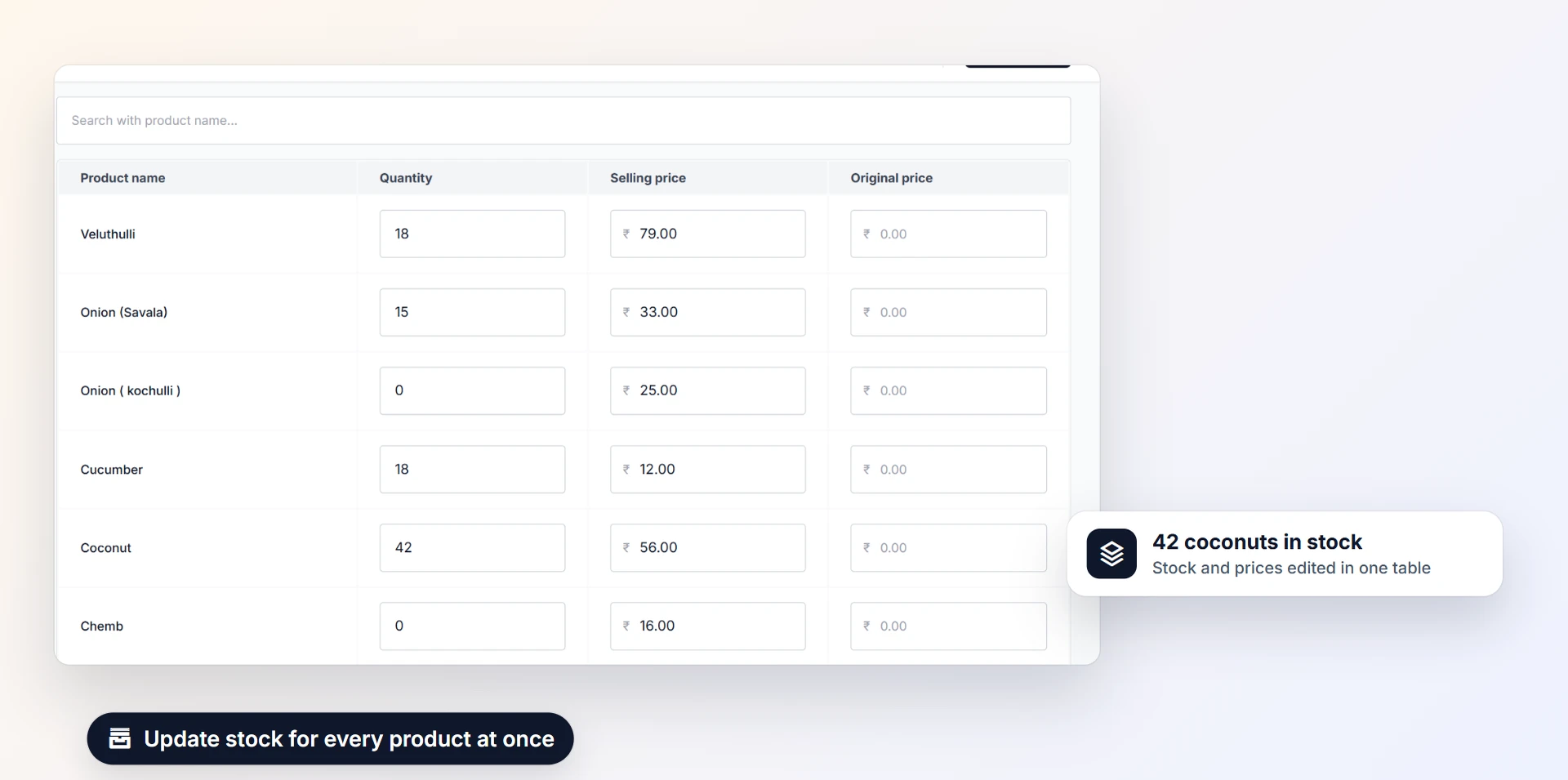
Zepio tracks stock for every product and variant and reduces it with each order, on your website, app and in-store POS. Set a low-stock alert level per product and a store-wide out-of-stock alert, update stock in bulk from a spreadsheet, and hide out-of-stock products automatically if you choose. Stores with several branches or dark stores keep separate stock per branch, and the items report shows what is selling.
Know what you have, reorder before you run out, and count a little every week. That is most of inventory management.
Questions people ask
What is the easiest way to manage inventory for a small shop?
How do I calculate a reorder point?
What is safety stock?
What is FEFO?
How often should I count stock?
Sources
- Examine the Efficiency of Inventory Management Using Financial Ratios, OpenStax, Principles of Accounting
- Reorder Point Formula, Shopify
- Safety Stock: What It Is and How to Calculate It, Shopify
- ABC Analysis, Shopify
- Hygiene Rating Checklist: Food Service Establishments, Bakery, Restaurants (sample), FSSAI
Facts were checked against these sources on 22 Oct 2026. Rules and prices change: check the source before you rely on a figure. Read our editorial standards, or write to hi@zepio.io to report a mistake.