On this page
- Step 1: Get your basics ready first
- Step 2: Install the Pixel and Conversions API
- Step 3: Understand how budgets work
- Step 4: Choose the right campaign
- Step 5: Target the area you serve
- Step 6: Make ads people stop for
- Step 7: Know what gets ads rejected
- Step 8: Judge ads by cost per order
- A simple first month
- Mistakes to avoid
- Your Meta ads checklist
- How Zepio helps
To run Facebook and Instagram ads for a small business, start with a small daily budget, run one campaign aimed at sales or messages, target only the area you deliver to, install the Meta Pixel and Conversions API so you can see which ads bring orders, and judge every ad by cost per order against your margin. Increase spend only on what works.
Meta ads are paid posts that appear in Facebook and Instagram feeds, stories and reels, set up in Meta's Ads Manager. This guide is for a shop, restaurant or local brand spending its own money: how budgets work, how to set up tracking, what to target and how to tell if ads are paying off.
Step 1: Get your basics ready first
Ads send people somewhere. Make sure that place is ready:
- A website or app where people can order and pay, not just a profile. Ads that say "DM to order" lose people who want to buy now.
- Product pages with real photos and prices; see how to take product photos with a phone.
- A Facebook Page and an Instagram professional account, connected in Meta Business Suite.
- Your margin per order, so you know how much an order can cost in ads. See how to price your products.
Step 2: Install the Pixel and Conversions API
Without tracking, you cannot tell which ads bring orders.
- The Meta Pixel is a piece of code on your website that tracks visitor activity, measures ads and helps build audiences such as people who visited your store (Meta for Developers).
- The Conversions API sends the same events, such as purchases, from your server, and Meta processes them like Pixel events. Meta's setup steps include confirming that events are deduplicated so a purchase is not counted twice (Meta for Developers).
Using both helps when the browser blocks tracking. Check whether your store platform can connect both for you.
Step 3: Understand how budgets work
Meta's pricing page recommends starting with at least US$5 and running it for about a week (Meta). Ads Manager shows the minimum for your own account and currency.
Two things surprise new advertisers:
- Meta may spend up to 75% more than your daily budget on a given day.
- Over a week, it will not spend more than seven times your daily budget (same source).
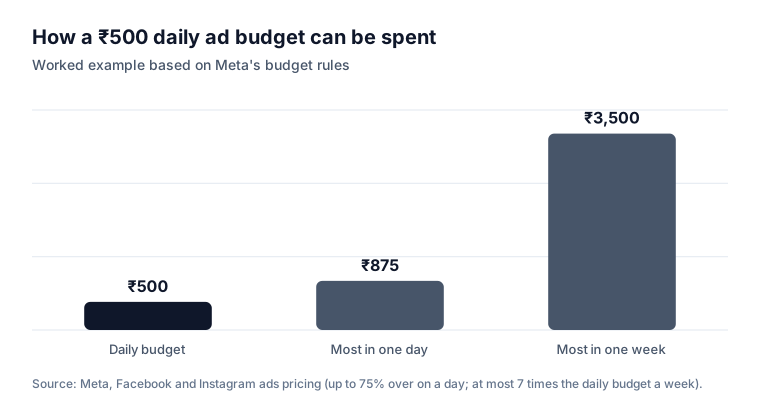
So a ₹500 daily budget can spend up to ₹875 on one busy day, but no more than ₹3,500 across the week.
Step 4: Choose the right campaign
| Goal | Campaign objective | Use when |
|---|---|---|
| Orders on your website or app | Sales | Your Pixel and Conversions API are working |
| Chats on WhatsApp or Instagram | Engagement (messages) | You take orders in chat |
| People near your shop | Awareness or Traffic with a local area | A new shop or a local event |
| App installs | App promotion | You have your own app; see getting more app downloads |
Meta's Advantage+ campaigns automate much of targeting and placement; Advantage+ sales campaigns are the renamed Advantage+ shopping campaigns (Meta). For a small budget, start with one Sales campaign and let Meta find buyers within your area.
Step 5: Target the area you serve
For a local business, an ad shown outside your delivery area cannot turn into an order.
- Set the location to the pincodes, city or radius you deliver to.
- Exclude areas you do not serve.
- Keep interests broad at first; let Meta's delivery system learn who buys.
- Retarget people who visited your store or added to cart but did not buy, using Pixel audiences.
Step 6: Make ads people stop for
- Video or a clear photo of the product, not a logo.
- The offer in the first line: "Free delivery in Kothrud above ₹499."
- One product or one collection per ad.
- Real prices and real delivery times.
- Two or three versions to test, changing one thing at a time.
Keep claims honest. The ASCI Code says ads must be truthful and claims capable of substantiation, and products must not be called free where there is any direct cost (ASCI).
Step 7: Know what gets ads rejected
Meta reviews ads before they run, typically within 24 hours, though it can take longer, and you can request another review from Account Quality if an ad is wrongly rejected (Meta Transparency Center). Restricted categories include alcohol, health and wellness, drugs and pharmaceuticals, financial products and dating. If you sell anything near those, read Meta's Advertising Standards first.
Step 8: Judge ads by cost per order
Likes and clicks do not pay bills. Work out cost per order: ad spend ÷ orders from ads.
| Worked example | |
|---|---|
| Spend in a week | ₹3,500 |
| Link clicks | 1,400 (₹2.50 a click) |
| Orders (2% of clicks) | 28 |
| Cost per order | ₹125 |
| Margin per order | ₹200 |
| Profit after ads, per order | ₹75 |
If cost per order is higher than your margin per order, the ad loses money on the first order. It may still be worth it if those customers order again, so track repeat orders too. Our guide to getting repeat customers helps turn ad customers into regulars.
A simple first month
| Week | Do this |
|---|---|
| 1 | Pixel and Conversions API working; one Sales campaign in your delivery area; two ad versions |
| 2 | Keep the ad with the lower cost per order; add a retargeting ad for cart abandoners |
| 3 | Try a new photo or video against the winner |
| 4 | Raise the budget by 20 to 30% on ads whose cost per order is below your margin |
Mistakes to avoid
Boosting posts without a goal. Likes do not equal orders.
No tracking. Without the Pixel, you are guessing.
Targeting the whole country when you deliver to one city.
Changing everything every day. Give an ad a few days before judging it.
Stopping at clicks. Measure orders and cost per order.
Misleading claims. They break ASCI's code and Meta's policies, and annoy customers.
Your Meta ads checklist
- Website or app ready to take orders and payments
- Margin per order known
- Meta Pixel and Conversions API installed, events deduplicated
- One Sales campaign targeting your delivery area
- Two or three ad versions with real photos, prices and offers
- Budget set knowing Meta can spend up to 75% over on a day
- Cost per order checked weekly against margin
- Retargeting for visitors and cart abandoners
How Zepio helps
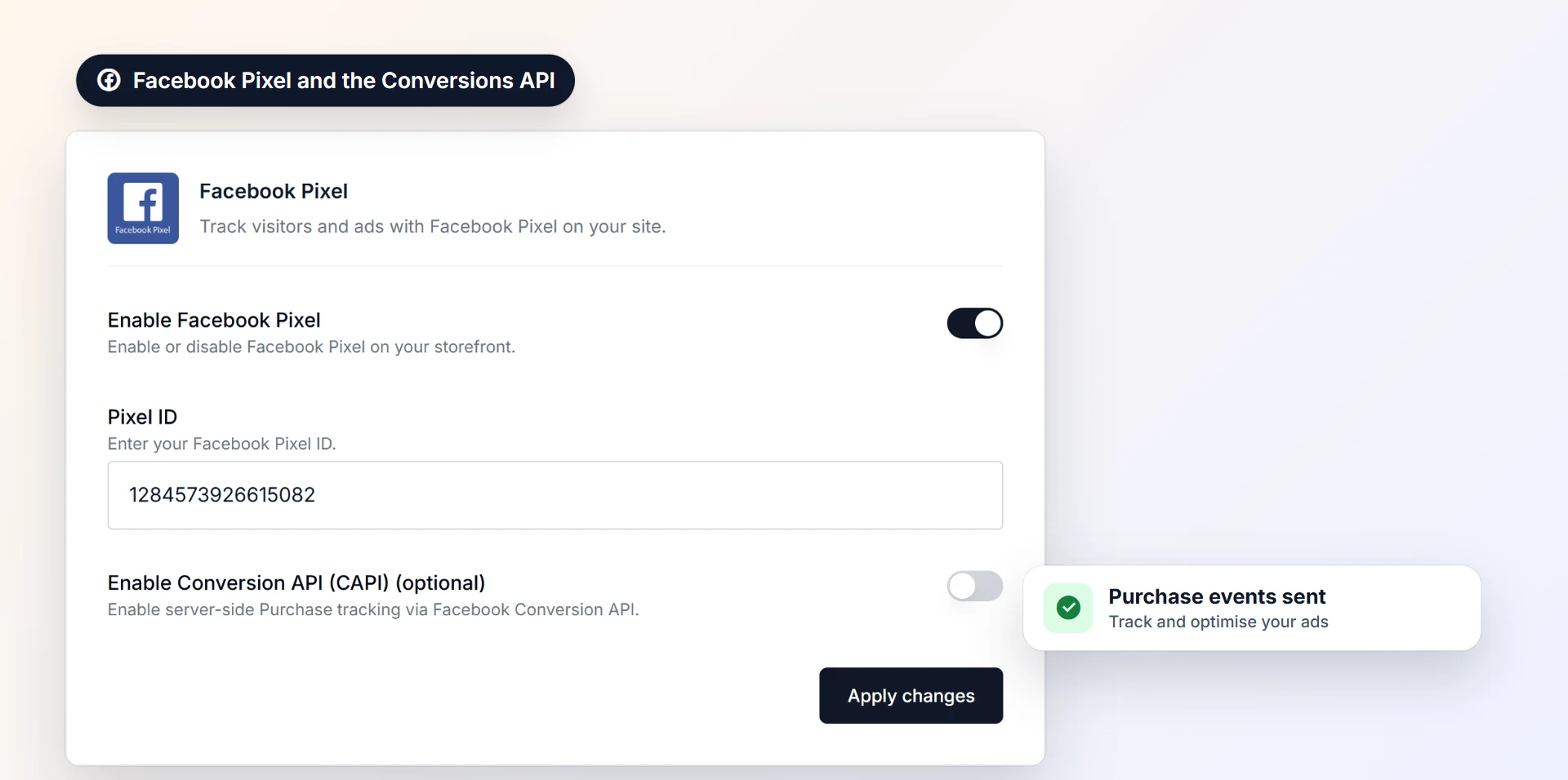
With Zepio, your ads send people to your own website and app, where they can order and pay, with 0% commission on your sales. The Facebook Pixel plugin connects both the Pixel and the Conversions API, so purchases reach Meta from the browser and the server, and Google Analytics, Google Tag Manager and Microsoft Clarity plugins show what visitors do on your store. Cart recovery and push notifications then bring back people who came from an ad but did not buy.
Start small, track every order, target where you deliver and spend more only on what pays. That is how a small business makes Meta ads work.
Questions people ask
How much should a small business spend on Facebook ads?
Can Meta spend more than my daily budget?
How long does Meta take to approve an ad?
Do I need the Meta Pixel to run ads?
Should I run ads on Facebook or Instagram?
Sources
- Facebook and Instagram ads pricing and cost, Meta for Business
- Advertising Standards, Meta Transparency Center
- Meta Pixel, Meta for Developers
- Conversions API, Meta for Developers
- Meta Advantage+, Meta for Business
- The ASCI Code, Advertising Standards Council of India
Facts were checked against these sources on 22 Oct 2026. Rules and prices change: check the source before you rely on a figure. Read our editorial standards, or write to hi@zepio.io to report a mistake.