On this page
To get more app downloads for your store, ask the customers you already have. Put a QR code at the counter, a line on every bill, a card in every delivery bag and a banner on your website, and give a reason to install, such as free delivery on the first app order. Then make your store listing convincing and keep the reviews coming. Paid install ads come last, once you know what an app customer is worth.
An app download (or install) is one person installing your app from Google Play or the App Store. For a local shop, restaurant or brand, the goal is not millions of downloads. It is getting your regular customers to order through the app, where you can reach them with push notifications at no cost per message.
Why existing customers come first
A stranger has little reason to install a local store's app. A customer who ordered last week does. So most of the ideas below are about turning existing buyers into app users.
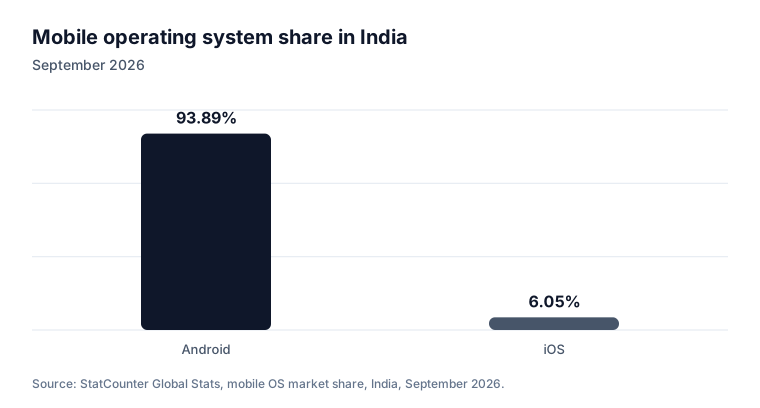
Start with Android in India. StatCounter puts Android at 93.89% of mobile operating system share in India in September 2026, with iOS at 6.05% (StatCounter).
If you do not have an app yet, our guides on creating a mobile app, publishing on Google Play and publishing on the App Store come first.
In your shop and deliveries
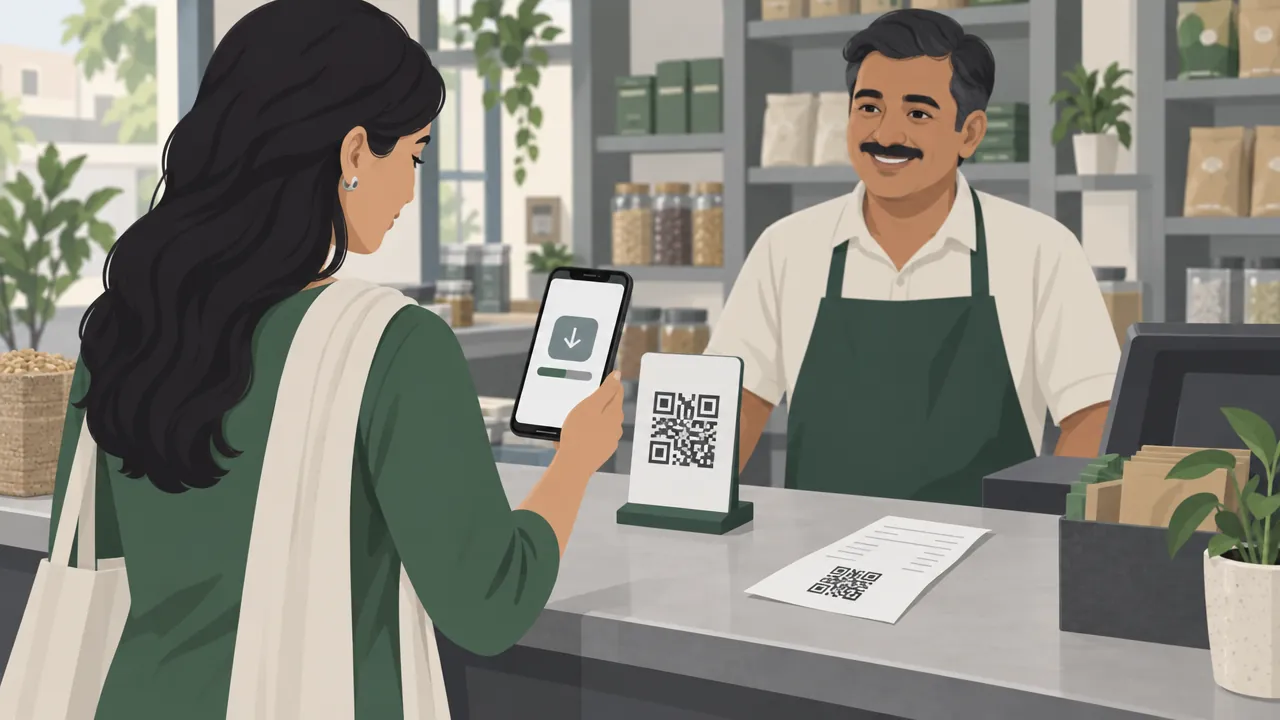
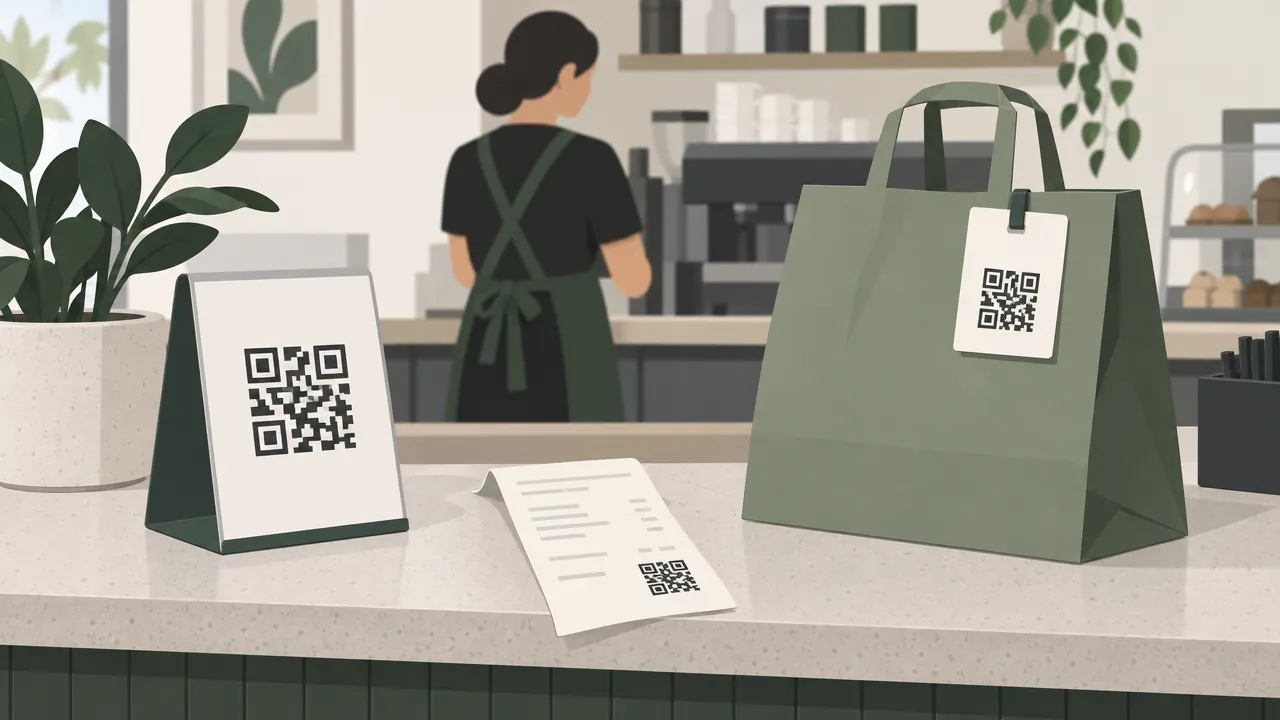
1. A QR code at the counter
Put a small standee next to the billing counter: "Order from home next time. Scan to get our app." Make the code with a QR code generator and point it at your app's store link.
2. A line on every bill
Print the app link or QR code at the bottom of the bill or invoice, with the reason to install.
3. A card in every delivery bag
A delivery is the best moment to ask: the customer has just received what they ordered. A small printed card in the bag works for phone and WhatsApp orders too.
4. Ask in person
Train staff to say one sentence at the counter: "You can order this on our app next time and get free delivery on your first order." A spoken ask costs nothing and reaches people already in your shop.
Online, where customers already find you
5. A banner on your website
Show a small "Get our app" bar to visitors on phones, with links to Google Play and the App Store. Keep it easy to close.
6. Your WhatsApp and social profiles
Add the app link to your WhatsApp Business profile, your Instagram bio and your Google Business Profile website or menu link. Send the link once to your WhatsApp customers with the reason to install. Our guide to selling on WhatsApp Business covers messaging customers without spamming them.
7. One link per channel
Google Play lets you create up to 50 custom store listings, each with its own link (Play Console Help). Use one for the counter QR code, one for delivery bags and one for your website. The listing can speak to that audience, and once a listing gets enough visitors, its data appears in Play Console's store listing performance report.
Give people a reason to install
8. An offer for the first app order
"Free delivery on your first app order" or "₹50 off your first app order" turns "maybe later" into "now". Make it simple, one per customer, and only on orders above a minimum value.
9. Something only the app does well
Tell customers what the app gives them that the phone call does not: order tracking, easy reordering, reward points, and offers by push notification. Our guide to getting repeat customers shows how reward points bring people back.
10. Referrals
A customer who likes your app can bring friends. A refer-and-earn offer gives both people a reward when the friend orders; see how to start a referral program.
Make the store listing convincing
When someone taps your link, the store listing decides whether they install. Apple says almost 65% of App Store downloads happen directly after a search (App Store, worldwide, 2022) (Apple), so your app name and the screenshots people see in search results matter.
11. Name, screenshots and honest wording
| Part | Rule | Tip |
|---|---|---|
| App title (Google Play) | Up to 30 characters | Your business name customers know |
| Banned words | Nothing that signals store performance, price, promotion or a Google Play programme, such as "#1", "Best of Play", "free for limited time only" or "New", in the title, icon or developer name (Play metadata policy) | Describe what you sell instead |
| Screenshots | Your real app, in order: home, a product, cart, tracking | Show your real products, not stock photos |
| Description | Plain words | Say where you deliver and how fast you usually deliver |
Google Play also lets you run A/B tests on your listing: one default graphics experiment, or up to five localised experiments (which can also test text) at a time (Play Console Help). Test a different first screenshot and keep the version that gets more installs.
12. Reviews and ratings
Google says Play favours apps with strong technical performance and a good user experience, and uses ratings, reviews and engagement alongside your listing (Play Console Help). After a good delivery, ask customers to rate the app. Reply to bad reviews politely and fix what they point out.
When to pay for installs
Paid ads make sense only when the free channels are working and you know what an app customer is worth to you: their average order, how often they order and your margin.
- Google Ads App campaigns show your app across Google Search, Google Play, YouTube and Google's partner apps and websites (Google Ads Help). Google's advice is a budget of at least 50 times your target cost per install (Google Ads Help). For a small store, that can be a large monthly spend.
- Instagram and Facebook ads can send people to your app or website; see our guide to Facebook and Instagram ads for small business.
Target only the areas you deliver to. An install from a city you do not serve is money wasted.
Measure what works
Each month, write down:
| Number | Where to find it |
|---|---|
| Installs by source | Play Console acquisition reports; one custom listing link per channel |
| Orders placed in the app | Your store's order report |
| Share of orders from the app | App orders ÷ all orders |
| Uninstalls | Play Console |
| Rating | Play Console and App Store Connect |
The number that matters most is orders from the app, not installs. A thousand installs that never order are worth less than a hundred regulars who order every week.
Mistakes to avoid
Asking strangers before customers. Your existing buyers already know and trust you.
No reason to install. "Download our app" alone does little. Say what they get.
Fake reviews. Paying for reviews breaks store policies and misleads customers.
Promotional words in the title. Ranking or offer words such as "#1" or "free for limited time only" in the title break Google Play's metadata policy.
Paid installs too early. Fix the listing and the free channels first.
Your app downloads checklist
- QR code standee at the counter and on every bill
- Printed card in every delivery bag
- Staff ask customers in one sentence
- App banner on your website for phone visitors
- App link in WhatsApp, Instagram and Google Business Profile
- One custom store listing link per channel
- A first-app-order offer, one per customer
- Screenshots of your real app; no banned words in the title
- Customers asked to rate the app after good orders
- App orders, not just installs, tracked monthly
How Zepio helps
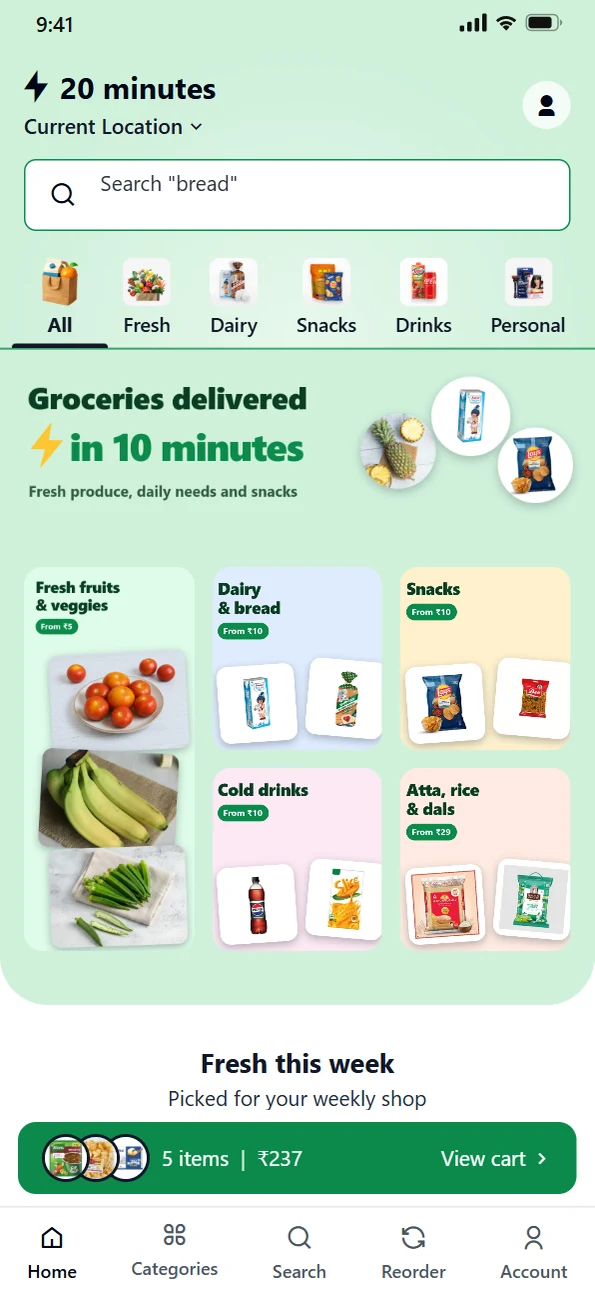
Every Zepio plan includes your customer Android app, published under your own Google Play account with your name, icon and colours, and an iPhone app is an add-on. The app has the same products and checkout as your website, with order tracking, an Order again page, reward points, refer and earn, and push notifications you can send to all customers or one branch or zone, with no cost per message. Orders from the app and website, and orders you enter in the POS, all arrive in one admin.
Ask every customer, give them a reason, and make the listing worth installing. App downloads follow the customers you already serve well.
Questions people ask
How do I get people to download my business app?
Can I put 'Free' or '#1' in my app name to get more downloads?
Should I pay for app install ads?
How do I know where my app installs come from?
Do reviews affect app downloads?
Sources
- Mobile Operating System Market Share India, StatCounter
- Apple Ads Advanced, Apple
- Create custom store listings to tailor your app's store listing for specific users, Play Console Help
- Run A/B tests on your store listing, Play Console Help
- App discovery and ranking, Play Console Help
- Metadata policy, Play Console Help
- About App campaigns, Google Ads Help
- Best practices for App campaigns, Google Ads Help
Facts were checked against these sources on 22 Oct 2026. Rules and prices change: check the source before you rely on a figure. Read our editorial standards, or write to hi@zepio.io to report a mistake.