

On this page
- Why a business needs its own app
- Option 1: Hire a developer or agency
- Option 2: Use an app builder
- What an app really costs over three years
- How long it takes to launch
- The developer accounts you need
- What to put in your app
- Push notifications: use them, do not abuse them
- Get people to install it
- Measure what the app does
- Mistakes to avoid
- Your app launch checklist
To create a mobile app for your business, you have two real options: hire a developer to build one, or use an app builder that turns your online store into an app. For most shops, restaurants and local brands, an app builder is usually faster and cheaper to start and maintain. Whichever you choose, publish the app under your own name on Google Play and the App Store, so the app and its customers belong to your business.
A business app is an Android or iPhone app, published on Google Play or the App Store under your business's name, where customers browse, order and pay. This guide explains when an app is worth it, what each route really costs over time, the accounts you need, what to put in the app and how to get people to install it.
Why a business needs its own app
A website brings customers in. An app keeps them. Once your app is on a customer's phone:
- You are one tap away, on their home screen, every time they need what you sell.
- Push notifications reach them directly: new arrivals, offers, "your order is out for delivery".
- Reordering is faster: their address, payment and past orders are already saved.
- You are not competing with every other seller on a marketplace app for their attention.
For businesses with frequent orders, such as groceries, food, bakery, meat and fish and pharmacy, an app makes repeat orders quicker, and that is where it pays off.
When you do not need an app yet
An app is not the first thing every business needs. Start with a website if:
| Situation | Better first step |
|---|---|
| Customers buy from you once or twice a year | A good website and search visibility (how to create one) |
| You have no online orders yet | A website, to prove people will order online |
| You sell mainly to other businesses | A website and a catalogue you can share |
When customers start ordering from you every week or month, an app becomes worth it.
Option 1: Hire a developer or agency
A developer or agency builds an app just for you.

Good when you need something unusual that no app builder offers.
What to know before you sign:
- You need three things, not one: a customer app, a website, and an admin to manage products and orders, all kept in sync.
- It takes months, from design to testing to store approval.
- The cost does not stop at launch. Android and iOS release new versions every year, payment gateways update their systems, and app stores change their rules. Someone has to keep fixing the app, every year, or it stops working.
- You depend on one developer. If they stop replying, nobody can maintain the app.
- Ask who owns the code and in whose account the app is published, and get both in writing.
Option 2: Use an app builder
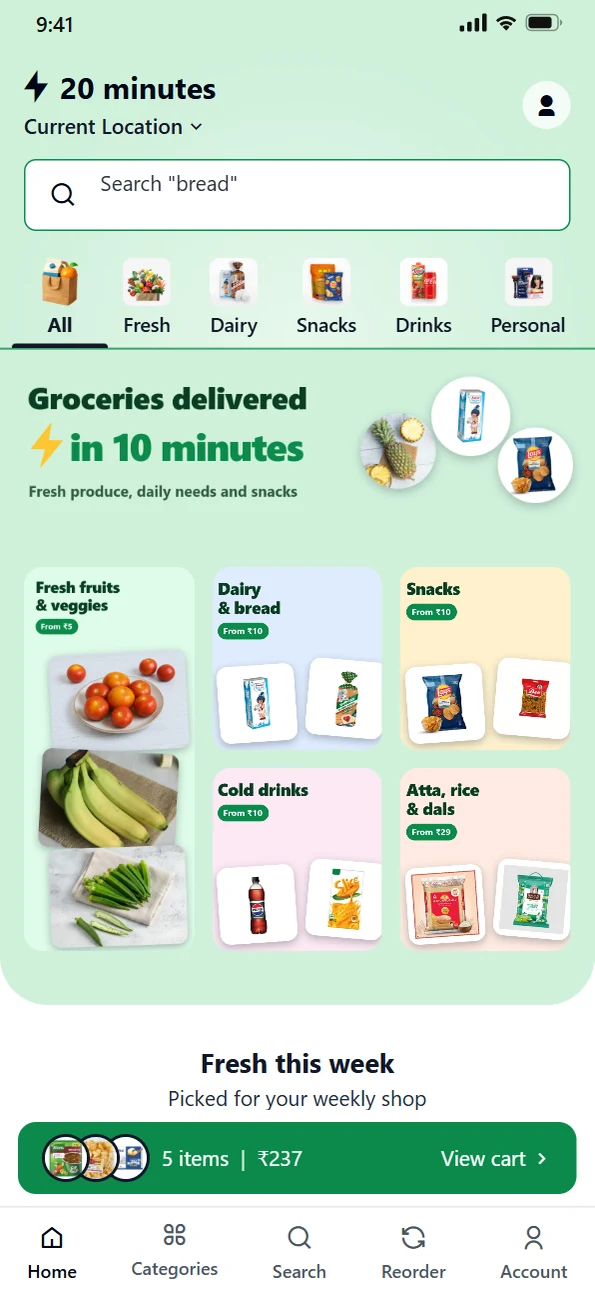
An app builder turns your online store into an app. Your products, prices, stock, offers and orders are the same everywhere, because they come from one admin.
Good when you sell products or food and want a reliable app quickly.
What to check before you choose one:
| Question | Why it matters |
|---|---|
| Is the app published under my name? | Some builders publish every customer's app under their own account. Your own account means you own the app and its reviews. |
| Is it a real app from Google Play? | Some "apps" are only a shortcut to a website, with no push notifications. |
| Does it include payments, delivery and order tracking? | An app that cannot take payment or show delivery status sends customers elsewhere. |
| What does it cost every year? | Compare the full yearly cost, not the first month. |
| Does it take a commission on sales? | A percentage of every order adds up quickly as you grow. |
Custom build or app builder?
| Custom build | App builder | |
|---|---|---|
| Time to launch | Months | Days to weeks, plus store review |
| Up-front cost | Highest | Low |
| Yearly upkeep | Paid developer time | Included in the plan |
| Website and admin | Built separately | Included, sharing one set of products and orders |
| Unusual features | Anything you can pay for | What the builder offers |
| Risk | Depends on one developer or agency | Depends on the builder; choose one that publishes under your name |
What an app really costs over three years
Compare apps over three years, not on the first invoice. A custom app costs the most at launch, and the bill keeps coming every year, because the work never stops.
| Cost line | Custom build | App builder |
|---|---|---|
| Design and build | Paid up front | Included |
| Website and admin | Usually a separate project | Included |
| Servers and hosting | You arrange and pay | Included |
| Android and iOS updates every year | Paid developer time | Included |
| Payment gateway and store rule changes | Paid developer time | Included |
| Bug fixes and small changes | Paid per request or retainer | Included or by support request |
| Google Play account | US$25 once | US$25 once |
| Apple developer account | US$99 a year | US$99 a year |
| Payment gateway fees | On every online payment | On every online payment |
Ask any developer or agency for the full three-year cost in writing, including maintenance, before you compare it with a plan.
How long it takes to launch
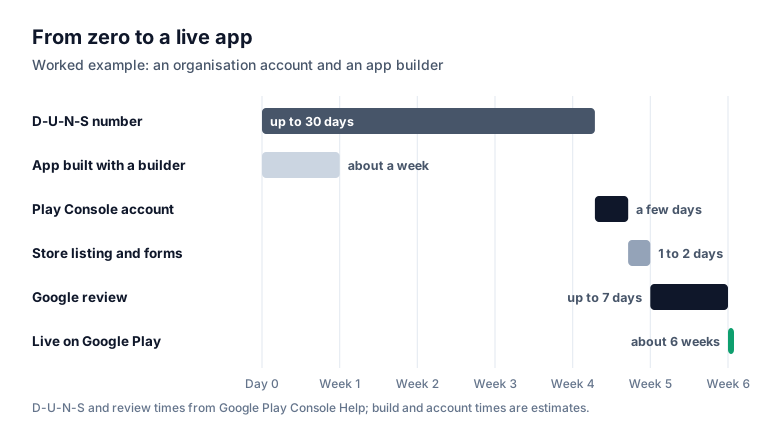
Most of the time to launch is not spent building the app. It is spent on accounts and reviews, so start those early.
| Step | Typical time | Notes |
|---|---|---|
| D-U-N-S number (organisations) | Up to 30 days | Free from Dun & Bradstreet; apply first |
| Developer account and identity check | A few days | Use a business email that will not change |
| Building the app | Days with a builder, months for a custom build | |
| Closed test (new personal Play accounts only) | At least 14 days | At least 12 testers opted in throughout |
| Store listing and policy forms | A day or two | Icon, screenshots, description, privacy policy |
| Google Play review | Usually 7 days or less, sometimes longer | Allow a week before announcing a date |
The developer accounts you need
To publish any app, yours or one made by a builder, you need developer accounts in your business's name.
| Store | Cost | What you need |
|---|---|---|
| Google Play | US$25, one time (Google) | A Google account and identity verification. Organisations also need a D-U-N-S number, a website and a business phone number. |
| Apple App Store | US$99 a year (Apple) | An Apple Account with two-factor authentication. Organisations also need a D-U-N-S number, a working website on their own domain and a registered legal entity: Apple does not accept trade names. Sole proprietors enrol as individuals. |
A D-U-N-S number is a free business ID from Dun & Bradstreet. Google says organisation accounts cannot be created without one, and getting one can take up to 30 days, so apply before you need it.
Google also offers personal accounts, which do not need a D-U-N-S number and are set up for an individual rather than a business. Google says personal accounts created after 13 November 2023 must run a closed test with at least 12 testers, opted in for at least 14 days in a row, before the app can go live. Our step-by-step guide on how to publish an app on Google Play covers both.
What to put in your app
Keep it simple. Customers want to find something, buy it and get it.
- Your products or menu, with photos, prices and options such as size or weight.
- Search that copes with spelling mistakes.
- Cart and checkout with UPI, cards and cash on delivery.
- Order tracking, ideally with a live map for local deliveries.
- Reorder from past orders.
- Push notifications for offers and order updates.
- Your contact details, including WhatsApp.
- Your policies: returns, refunds, delivery areas and charges.
Do not add features nobody asked for. Every extra screen is something to maintain, and something that can confuse a first-time customer.
Android first, then iPhone
In India, about 94% of mobile web traffic came from Android phones in September 2026 (StatCounter), so it makes sense to launch on Android first. Add an iPhone app when enough of your customers ask for it, or when you sell to an audience that mostly uses iPhones.
Push notifications: use them, do not abuse them
Push notifications are one of the most useful things an app gives you, and the easiest to waste.
- Send order updates every time: confirmed, packed, out for delivery, delivered.
- Send offers rarely and with a reason: a new arrival, a weekend special, a festival menu. Once or twice a week is plenty.
- Time them for when people buy: mornings for groceries and milk, evenings for food.
- Never send the same message to everyone. A customer who orders bread weekly does not need a jewellery sale.
Too many notifications and customers turn them off, or delete the app.
Get people to install it
An app nobody installs does nothing. Treat installs like any other sale.
- Show a banner on your website asking visitors to get the app.
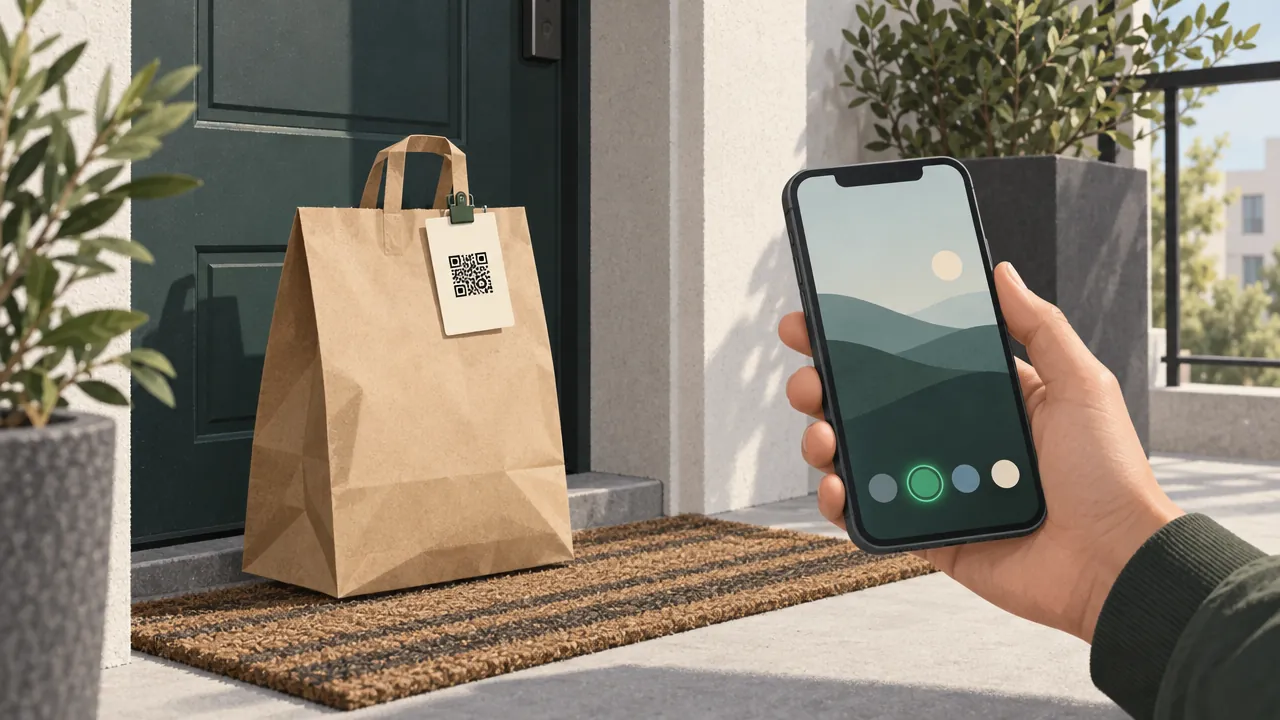
- Put a QR code at your counter and in every delivery bag. Make one with a QR code generator.
- Give a reason: an app-only offer, free delivery on the first app order, or reward points that only the app shows.
- Ask for reviews after a good order. Ratings help people trust a new app.
- Tell your WhatsApp contacts once, with the link and the reason to install.
Measure what the app does
Look at these numbers every month:
- Installs, and how many of those people placed an order.
- Share of orders from the app compared with your website.
- Repeat orders from app users compared with website users.
- Notification opt-ins, and whether they drop after you send offers.
If installs are high but orders are low, the app is too hard to use or the reason to order is missing. If orders from the app grow month after month, push more customers towards it.
Mistakes to avoid
Publishing under someone else's account. If the builder or developer owns the listing, you do not own the app.
Paying for a custom build without a maintenance plan. Without one, the app can stop working when Android, iOS or the store rules change. Google Play, for example, raises the minimum target Android version on a set date, most recently Android 16 from 31 August 2026.
Launching without promoting it. An unannounced app gets no installs.
Separate products and prices for the app and the website. Customers notice, and it doubles your work.
Too many notifications. They get your app deleted.
Your app launch checklist
- Decided: custom build or app builder, with a yearly cost you can sustain
- Google Play developer account in your business name (D-U-N-S number if an organisation)
- Apple developer account if you are launching on iPhone
- App with products, search, checkout, tracking, reorder and notifications
- Store listing: name, description, icon and real screenshots
- Privacy policy and policies published
- QR codes at the counter and in delivery bags, and an app-only reason to order
- A monthly look at installs, app orders and repeat orders
Start with Android, publish under your own name, and make your app the easiest way to order from you. That is what turns one-time buyers into regular customers.
Questions people ask
Can I create an app for my business without coding?
How much does it cost to make an app for a small business?
Do I need both an Android and an iPhone app?
Should the app be published in my name or the builder's name?
What should a shop or restaurant app include?
How long does it take to get a business app on Google Play?
Sources
- Get started with Play Console (registration fee), Google Play Console Help
- Required information to create a Play Console developer account, Google Play Console Help
- Choose a developer account type, Google Play Console Help
- Apple Developer Program: enrolment, Apple
- App testing requirements for new personal developer accounts, Google Play Console Help
- Target API level requirements for Google Play apps, Google Play Console Help
- Mobile operating system market share in India, StatCounter Global Stats
Facts were checked against these sources on 19 Oct 2026. Rules and prices change: check the source before you rely on a figure. Read our editorial standards, or write to hi@zepio.io to report a mistake.