On this page
- Why push notifications are worth doing well
- Step 1: Ask for permission at the right moment
- Step 2: Send these 20 ideas
- Step 3: Write messages people tap
- Step 4: Send fewer, better messages
- Step 5: Measure what each notification brings in
- Mistakes to avoid
- Your push notification checklist
- How Zepio helps
The best push notification ideas for an online store are messages the customer is glad to get: order updates, back-in-stock alerts, reminders for things they buy often, and offers on products they like. Ask for permission at a moment when the value is obvious, send marketing messages sparingly, and link every notification to the exact page it mentions.
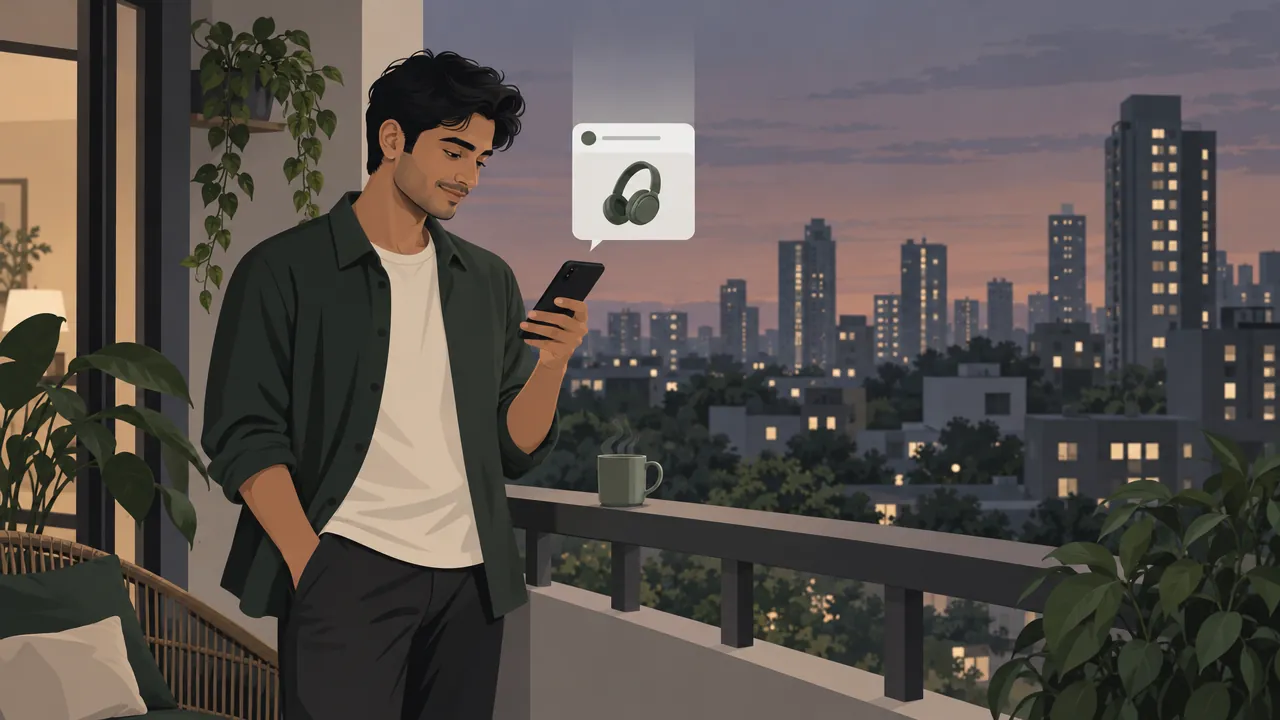
A push notification is a short message from your app that appears on a customer's phone, on the lock screen or at the top of the screen, even when the app is closed. Below are 20 ideas with example wording, followed by the rules for permission, timing and frequency.
Why push notifications are worth doing well
Push notifications reach customers who installed your app, at no cost per message. That makes them cheaper to send than SMS or WhatsApp messages, and easier to overuse.
How many customers say yes depends on the platform and your app. In Airship's 2025 data across apps with at least 1,000 users, the median opt-in rate was 53.3% on Android and 48.85% on iOS (Airship). Batch, another push provider, measured opt-in rates of 67% on Android and 56% on iOS for July 2024 to July 2025 (Batch). The two are different samples, so treat them as ranges, not targets.
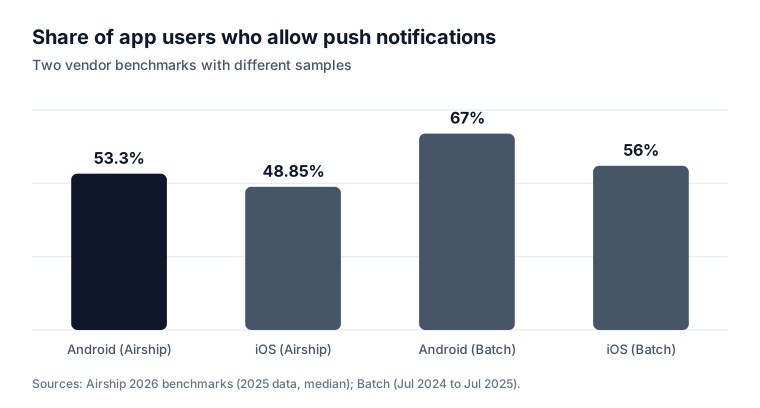
Roughly half your app users, or a bit more, may allow notifications. Every message you send should give them a reason to keep them on.
Step 1: Ask for permission at the right moment
Since Android 13, an app's notifications are off by default after a new install, until the customer allows them (Android Developers). On iPhone, the system permission prompt appears only once; after that, the customer has to change it in Settings (Apple Developer).
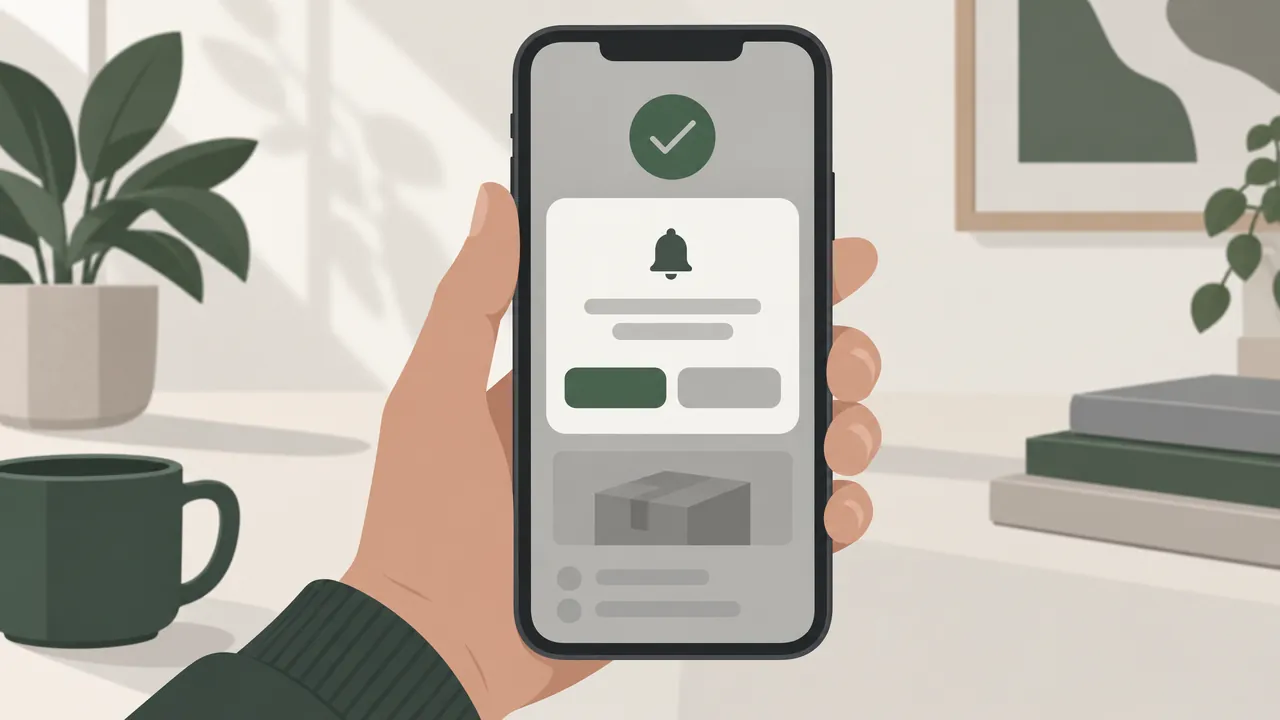
Both Google and Apple advise asking in context, when it is clear what the notifications are for. Good moments:
- Right after the first order: "Get an update when your order is on the way."
- When a customer taps Notify me on an out-of-stock product.
- When they save a product to their wishlist: "We will tell you if the price drops."
Warning: Apple's App Review Guidelines (4.5.4) say push notifications must not be used for promotions or direct marketing unless customers explicitly opted in, with consent language in your app and a way to opt out (Apple).
Step 2: Send these 20 ideas
Each idea below has a sample message. Replace the blanks with your own details.
Order updates (send to everyone who ordered)
| # | Idea | Example message |
|---|---|---|
| 1 | Order confirmed | "Order received. We are packing it now." |
| 2 | Out for delivery | "Your order is on the way. Track it here." |
| 3 | Delivered | "Delivered. Enjoy, and tell us how it was." |
| 4 | Payment failed | "Your payment did not go through. Your cart is saved: try again." |
| 5 | Refund done | "Your refund of ₹____ has been sent to your original payment method." |
Reminders (send to customers who acted)
| # | Idea | Example message |
|---|---|---|
| 6 | Cart left behind | "Your cart is still here. Tap to finish your order." |
| 7 | Time to reorder | "Running low on ____? Order it again from your past orders." |
| 8 | Back in stock | "____ is back in stock. Only a few left." (only if true) |
| 9 | Price drop on a saved item | "The ____ you saved is now ₹____." |
| 10 | Reward points expiring | "Your ____ points expire on Sunday. Use them on your next order." |
Our guide to recovering abandoned carts explains the timing for cart reminders: the first within about an hour, the second the next day.
Offers (send to the customers they suit)
| # | Idea | Example message |
|---|---|---|
| 11 | New arrivals | "New this week: ____. Have a look." |
| 12 | Weekend offer | "Free delivery on orders over ₹____ this weekend." |
| 13 | Festival collection | "Our ____ collection is here. Order by ____ for delivery before the festival." |
| 14 | Daily deal | "Today's deal: ____ at ₹____, until 9 pm." |
| 15 | Birthday or anniversary | "Happy birthday, ____. A small gift from us is in your account." |
Local and timely (send to one area or branch)
| # | Idea | Example message |
|---|---|---|
| 16 | Fresh stock arrived | "Fresh ____ just arrived at our ____ store." |
| 17 | New area served | "We now deliver to ____. Order today." |
| 18 | Weather | "Rain outside? We will bring your groceries to the door." |
| 19 | Store timing change | "We are open late tonight, until 11 pm." |
| 20 | Win-back | "We have missed you. Here is free delivery on your next order." |
Step 3: Write messages people tap
A notification has a few seconds of attention. Make them count:
- One idea per message. "Free delivery this weekend" beats "Free delivery, new arrivals and a contest".
- The benefit first. Put the reason to tap in the first few words; phones may cut off the rest.
- Add an image when the product sells itself: a cake, a dress, fresh fish.
- Link to the exact page. A notification about one product should open that product, not the home page.
- Sound like a person. Write the way you would text a regular customer.
Generic messages get ignored. Batch measured an average open rate of 14.4% for contextual campaigns against 4.19% for generic ones (Batch counts a push as contextual when it is triggered automatically by an action or a set time) (Batch). "Your usual milk order is ready to repeat" is contextual; "Check out our app!" is generic.
Step 4: Send fewer, better messages
The fastest way to lose your audience is to send too much. In Airship's consumer survey, the top reason people opt out is that messages are sent too often (Airship).
| Type | How often |
|---|---|
| Order updates | Every order, as each status changes |
| Reminders (cart, reorder, back in stock) | Only when triggered by the customer |
| Offers to everyone | One or two a week at most |
| Offers to one area or segment | When there is a real reason |
Send at the times your customers usually order. A grocery store's best time may be the evening before; a restaurant's may be an hour before lunch. Check your order times in your sales report and send just before the busy hour.
Step 5: Measure what each notification brings in
For every notification, note:
- How many received it.
- How many opened it.
- How many ordered within a day, and the value of those orders.
- Whether opt-outs went up in the days after.
If a message brings orders and few opt-outs, repeat its style. If opt-outs rise, cut the frequency before you cut the message type.
Mistakes to avoid
Asking for permission the second the app opens. The customer has no reason to say yes yet, and on iPhone you may not get a second chance.
The same message to everyone. A vegetarian customer does not need your chicken offer. Send by area, branch or past orders where you can.
Fake urgency. "Only 2 left!" must be true. Customers notice, and false claims damage trust.
Notifications that open the home page. Every extra tap loses people.
No opt-out. Give customers a clear way to stop marketing messages in the app.
Your push notification checklist
- Permission asked in context, such as after the first order
- Clear consent for promotional pushes and an opt-out inside the app
- Order updates switched on for every status
- Cart, reorder and back-in-stock reminders triggered by customer actions
- Offers sent to everyone no more than once or twice a week
- Every notification opens the exact page it mentions
- Opens, orders and opt-outs tracked for each message
How Zepio helps
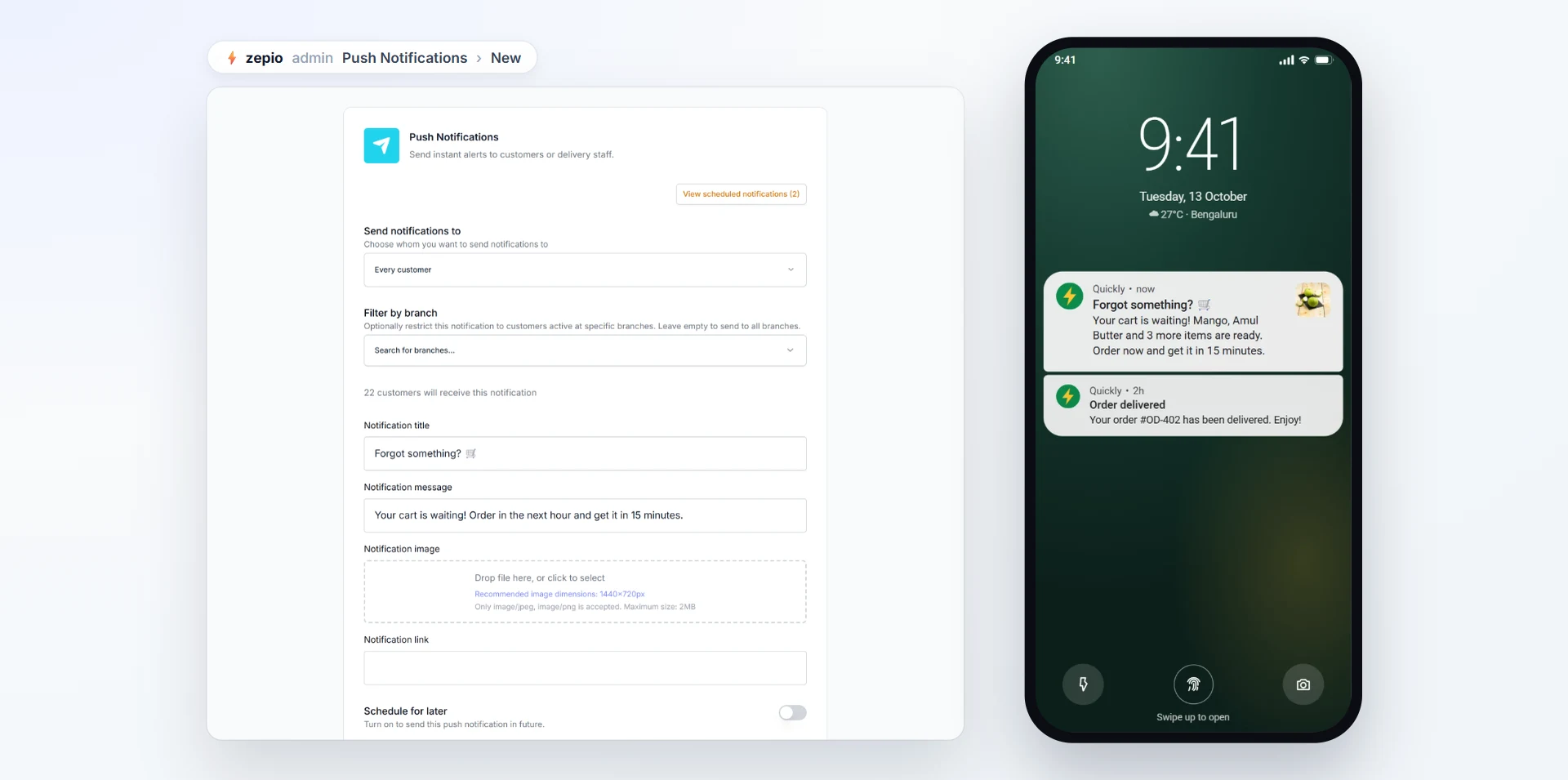
Your Zepio customer app on Android, and on iPhone as an add-on, carries your own name and logo, so notifications arrive from your store. With the push notifications plugin you write a title and message, add an image and the page it opens, and send to all customers, chosen customers, or only customers of certain branches or zones. You can send now, at a set time, or on a repeating schedule, with no cost per message. Cart recovery sends its own push reminder when a cart is left.
Our guide on creating a mobile app for your business covers getting the app itself. Then send messages your customers are glad to receive, and they will keep notifications on.
Questions people ask
How many push notifications should an online store send?
When should my app ask for notification permission?
Do push notifications cost money?
Can I send offers by push notification on iPhone?
What makes a good push notification?
Sources
- Notification runtime permission, Android Developers
- Asking permission to use notifications, Apple Developer Documentation
- App Review Guidelines, Apple
- Mobile App Push Notification Benchmarks for 2026, Airship
- Push notification benchmark, Batch
Facts were checked against these sources on 22 Oct 2026. Rules and prices change: check the source before you rely on a figure. Read our editorial standards, or write to hi@zepio.io to report a mistake.