
On this page
- How many carts are abandoned
- Why shoppers leave at checkout
- Step 1: Measure your own abandonment
- Step 2: Fix the checkout first
- Step 3: Know who left
- Step 4: Send the right reminder at the right time
- Step 5: Use discounts carefully
- Step 6: Track what you recover
- Mistakes to avoid
- Your cart recovery checklist
- How Zepio helps
To recover abandoned carts, first fix the reasons you control: show delivery fees early, let shoppers check out without creating a password, show the total and delivery time up front, and offer the payment methods they expect. Then send a reminder within an hour and another the next day, by push notification, WhatsApp or email to shoppers who agreed to hear from you, with a link straight back to their cart.
An abandoned cart is a cart where a shopper added products and left without paying. This guide explains why shoppers leave, the checkout fixes that prevent it, how to write and time reminder messages, and how to tell whether recovery is paying off.
How many carts are abandoned
Most carts never become orders. Baymard Institute's average across 50 studies puts the documented online cart abandonment rate at 70.22% (Baymard, updated September 2025).
Baymard notes that much of this is natural: people add items to compare prices, save them for later or just browse. You will never recover all of it. The goal is to stop losing shoppers who meant to buy and left because of something you could have fixed.
Why shoppers leave at checkout
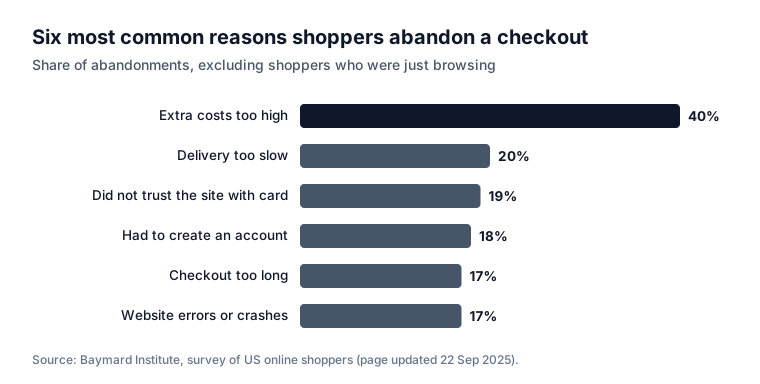
Baymard also asked US online shoppers why they abandoned a checkout, leaving out those who were just browsing. The top reasons:
| Reason | Share of abandonments | The fix |
|---|---|---|
| Extra costs (shipping, tax, fees) too high | 40% | Show delivery fees on product and cart pages; offer a free delivery threshold |
| Delivery too slow | 20% | Show the delivery time or slot before checkout |
| Did not trust the site with card details | 19% | HTTPS, a known gateway, clear contact details and policies |
| Had to create an account | 18% | Checkout with a phone OTP, no password |
| Checkout too long or complicated | 17% | Fewer fields; save addresses; one page where possible |
| Website errors or crashes | 17% | Test checkout on a cheap phone every week |
| Returns policy not good enough | 13% | A clear, fair returns policy linked at checkout |
| Could not see the total up front | 12% | Show the full total, with every fee, in the cart |
| Card declined | 10% | Offer UPI and a one-tap retry with another method |
| Not enough payment methods | 9% | UPI, cards, net banking, wallets, and cash on delivery if your customers expect it |
The survey is of US shoppers, so the exact shares will differ in India, but your own checkout data will show which ones apply to you.
Step 1: Measure your own abandonment
Before you send a single reminder, count:
- Carts started in a month: carts with at least one product.
- Orders placed from those carts.
- Abandonment rate = carts without an order ÷ carts started.
- Where they leave: at the cart, at the address step, or at payment.
The step where most people leave tells you what to fix first. Many leaving at payment points to payment methods or failed payments; many leaving at the cart points to fees or delivery times.
Step 2: Fix the checkout first
Reminders recover some carts. Fixing the checkout helps every shopper, including the ones you cannot remind: Baymard's usability testing found that the average large online store could gain a 35% increase in conversion rate through better checkout design.
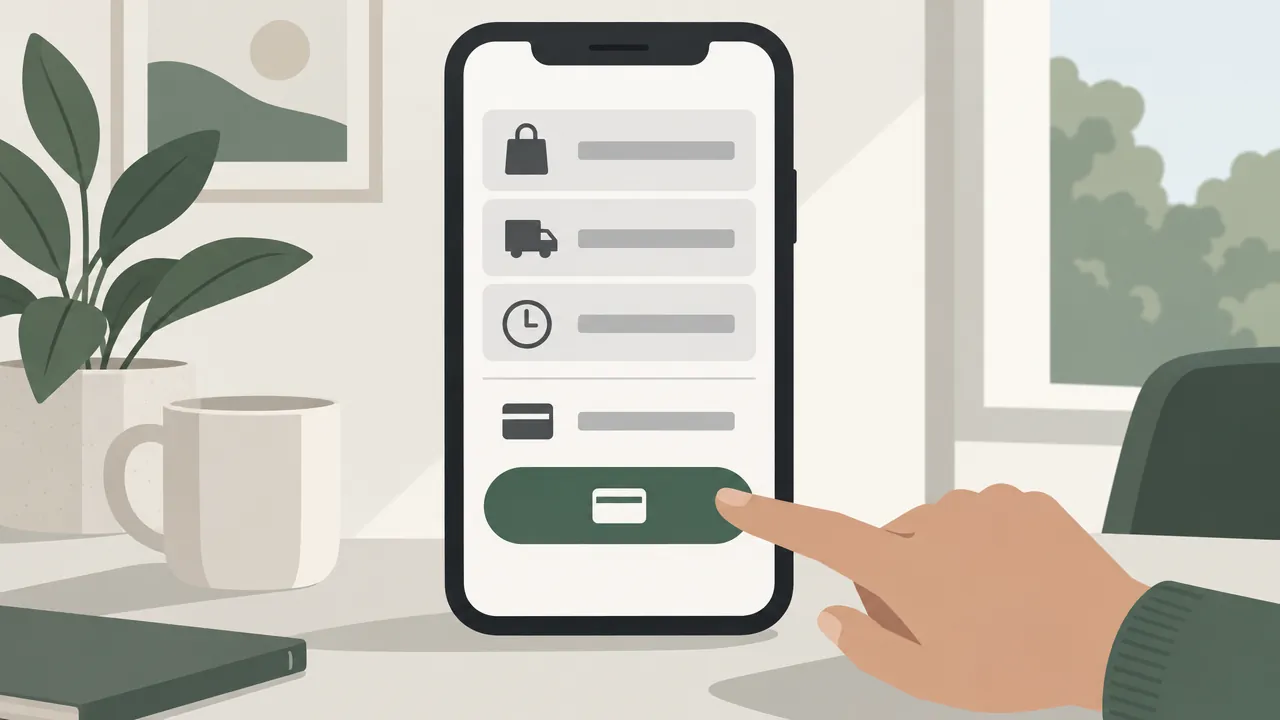
- Show delivery fees early. Put "Free delivery above ₹299" on product pages and in the cart. Our guide on setting delivery charges shows how to set a threshold that still covers delivery.
- Show the full total before payment, with every fee named.
- Let shoppers log in with a phone OTP, and save their address for next time.
- Show the delivery time or slot before they pay.
- Offer UPI first on phones, plus cards, net banking and wallets. Our guide on accepting online payments compares the options.
- Make failed payments easy to retry without rebuilding the cart.
- Link your returns policy near the pay button.
Step 3: Know who left
You can only remind shoppers you can reach. Asking for a phone number at login, before checkout, means a shopper who leaves at the address or payment step can still get a reminder by push notification, WhatsApp or SMS. Shoppers using your app can always get a push notification if they allowed them.
Step 4: Send the right reminder at the right time
Timing matters. A reminder an hour later reaches someone who still remembers the cart; a reminder a week later may reach someone who has already bought elsewhere.
| Reminder | When | What it says |
|---|---|---|
| First | About 1 hour after leaving | A friendly nudge and a link back to the cart |
| Second | The next day | Answer a likely question: delivery time, returns, freshness |
| Third (optional) | 2 to 3 days later | A small incentive, such as free delivery, or a note that stock is low (only if true) |
Stop after the third.
Which channel:
| Channel | Good for | What to know |
|---|---|---|
| Push notification | Shoppers who use your app | No per-message cost; needs the customer to allow notifications |
| Customers who opted in | Opt-in required; Meta charges per message on the Business Platform; uses an approved template (templates and rules) | |
| Customers who gave an email | Low cost; easy to miss | |
| SMS | Customers without the app | A cost per message; short text only |
Messages you can adapt:
Example: First reminder (push or WhatsApp): "You left a few things in your cart at ____. They are still waiting for you. Tap to finish your order: ____"
Example: Second reminder: "Still thinking about it? Orders placed before 6 pm are delivered today, and returns are easy within 7 days. Your cart: ____"
Example: Third reminder (optional): "Free delivery on your cart today only. Your items are saved here: ____"
Step 5: Use discounts carefully
A discount in every reminder costs you twice: you give margin away to people who would have come back anyway, and you teach customers that leaving a cart earns a coupon.
- No discount in the first reminder.
- Prefer free delivery or bonus reward points to a percentage off.
- Limit it to one use per customer, with a short expiry.
- Never claim fake urgency. "Only 2 left" must be true.
Step 6: Track what you recover
Each month, write down:
- Carts reminded, and carts recovered (orders placed after a reminder).
- Value of recovered orders.
- Cost: WhatsApp or SMS charges, and any discounts given.
- Which reminder worked: the first, second or third.
If the second reminder rarely recovers anything, change its message. If the third only recovers carts with a discount, consider dropping it.
Mistakes to avoid
Sending reminders before fixing the checkout. You pay to bring people back to the same problem.
Waiting days to send the first reminder. By then, the shopper may have bought elsewhere.
A discount in every message. It trains customers to abandon on purpose.
Messaging people who did not opt in. It breaks WhatsApp's policy and annoys customers.
Links that open an empty cart. Test that every reminder opens the shopper's saved cart.
Too many reminders. Three is plenty; then stop.
Your cart recovery checklist
- Abandonment rate and the step where shoppers leave, measured monthly
- Delivery fees and the free delivery threshold shown before checkout
- Phone OTP login and saved addresses; no forced password
- Full total and delivery time visible before payment
- UPI, cards, net banking and wallets, with an easy retry
- Returns policy linked at checkout
- A first reminder within an hour, a second the next day, an optional third
- Reminders only by channels the customer agreed to
- Recovered orders, their value and their cost tracked each month
How Zepio helps
Zepio's cart recovery sends a push notification with your own title, message and image when a cart is left, after a waiting time you choose, opens the customer's cart in one tap, and shows you how many orders and how much revenue came back. With Pro, our paid add-on for WhatsApp Business, cart reminders can also go out on WhatsApp as an approved template, and stop for anyone who replies STOP. Checkout shows delivery fees and the total before payment, and customers log in with a phone OTP.
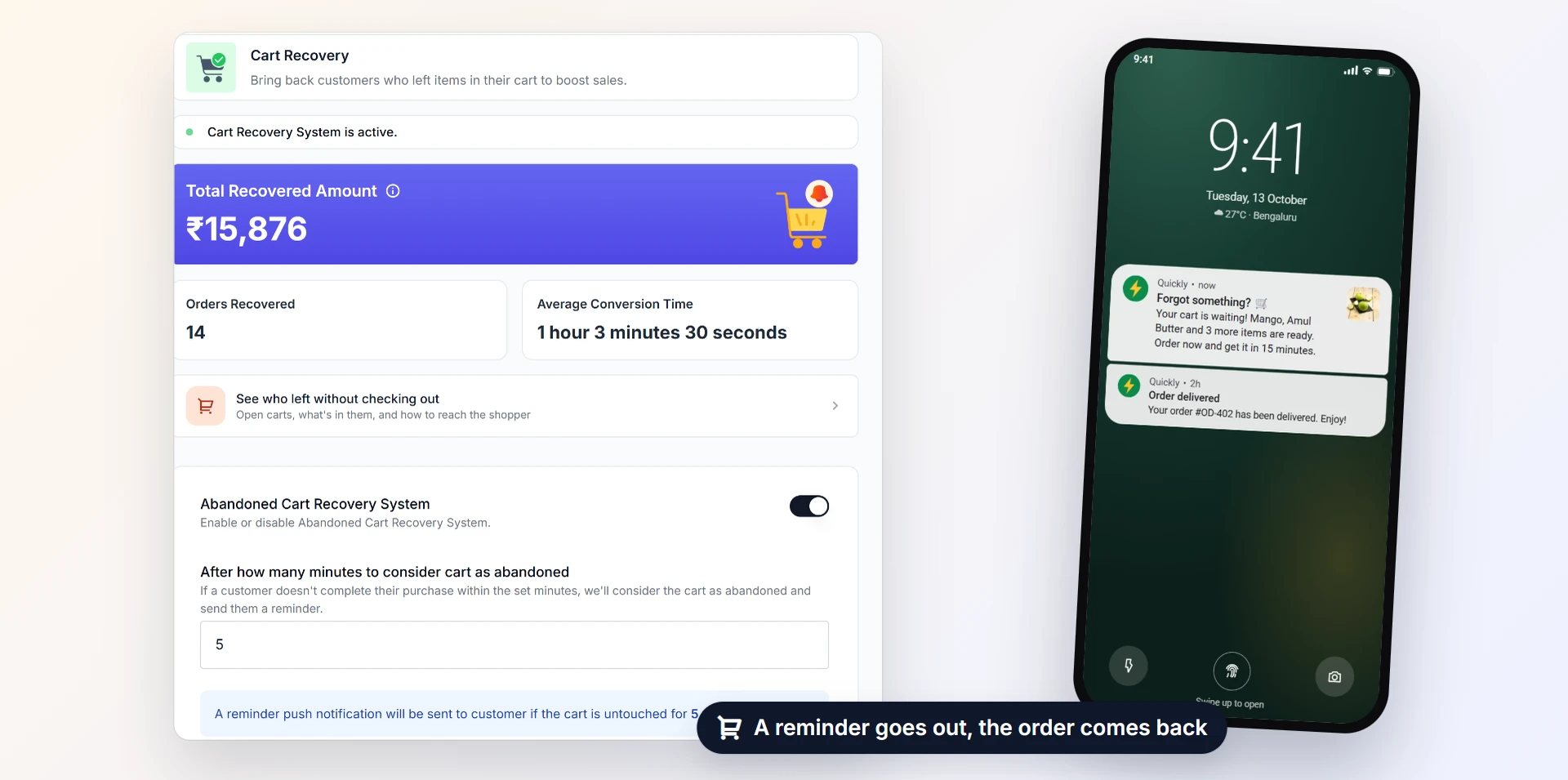
Fix the reasons people leave, then remind them kindly and quickly. A few recovered carts a day add up to a lot of orders over a year.
Questions people ask
What is an abandoned cart?
What is a normal cart abandonment rate?
When should I send an abandoned cart reminder?
Should I offer a discount in abandoned cart messages?
Can I send abandoned cart reminders on WhatsApp?
How do I know if cart recovery is working?
Sources
- Cart abandonment rate statistics, Baymard Institute
- Checkout usability research, Baymard Institute
- Pricing on the WhatsApp Business Platform, Meta for Developers
- WhatsApp Business Messaging Policy, WhatsApp
Facts were checked against these sources on 20 Oct 2026. Rules and prices change: check the source before you rely on a figure. Read our editorial standards, or write to hi@zepio.io to report a mistake.