
On this page
- What to expect
- Step 1: Find what customers search for
- Step 2: Write titles and descriptions for people
- Step 3: Make product pages genuinely useful
- Step 4: Add product structured data
- Step 5: List your products free in Merchant Center
- Step 6: Get URLs, variants and filters right
- Step 7: Optimise images
- Step 8: Build category pages that deserve to rank
- Step 9: Earn local and outside signals
- Step 10: Measure in Search Console
- Mistakes to avoid
- Your online store SEO checklist
- How Zepio helps
SEO for an online store comes down to a few things Google itself documents: clear, useful product pages, a descriptive title and its own URL for each product, product structured data, free listings in Google Merchant Center, real images with descriptive filenames and alt text, and keeping filter pages out of the crawl. Then give it time: Google says some changes take hours and others months.
SEO (search engine optimisation) for an online store means making your product and category pages easy for Google to find, understand and show to people searching for what you sell. This guide sticks to what Google's own documentation says, so you can ignore much of the noise.
What to expect
Google is direct about two things:
- No one can guarantee a #1 ranking on Google (Google). Be wary of anyone who promises it.
- Changes take time: some take effect in a few hours, others could take several months, and Google suggests waiting a few weeks to judge whether a change helped (Google SEO Starter Guide).
Since October 2023, Google indexes almost all sites using their mobile version (Google Search Central Blog). If your store works badly on a phone, start there; our guide on creating a website for your small business covers the basics.
Step 1: Find what customers search for
Before changing anything, list the words customers use:
- Type your product into Google and note the suggestions that appear.
- Check Google Search Console for searches that already show your store.
- Ask customers what they searched to find you.
- Use local words: "eggless cake Andheri", "fresh fish delivery Kochi", "cotton kurti for office".
Map each group of searches to one page: a category page for "cotton kurtis", a product page for "blue cotton kurti with pockets". Pick one page for each search so you are not splitting your effort.
Step 2: Write titles and descriptions for people
| Element | What to write | Example |
|---|---|---|
| Page title | Product name, the key detail, your store name | Eggless Chocolate Truffle Cake 1 kg, Same-Day Delivery Pune, Bakery Name |
| Meta description | One or two sentences on what makes it worth clicking | Rich chocolate truffle cake made without eggs. Order by 2 pm for same-day delivery across Pune. |
| Heading on the page | The product name customers recognise | Eggless Chocolate Truffle Cake |
Google says its search does not use the keywords meta tag (Google SEO Starter Guide), so do not spend time on it.
Step 3: Make product pages genuinely useful
Google's helpful content guidance asks whether a page provides original information and a substantial, complete description (Google). For a product page, that means:
- An original description that answers buyers' questions: size, material, ingredients, care, delivery, returns. See how to write product descriptions that sell.
- Real photos from several angles.
- Price, availability and delivery details on the page.
- Reviews from real customers.
Google says duplicate content on your own site is not a spam violation (Google SEO Starter Guide). Copied manufacturer text is different: it gives Google no reason to prefer your page over the dozens of others with the same words, and Google's spam policies name republishing other sites' content without adding value as scraping.
Step 4: Add product structured data
Structured data is code that labels the facts on a page, such as name, price and availability, so Google can understand and display them. Google distinguishes two kinds (Google):
| Markup | Use on |
|---|---|
| Merchant listing | Pages where customers can buy the product from you |
| Product snippet | Product pages where people cannot buy directly, such as reviews |
Merchant listing experiences require a price greater than zero, and Google recommends describing your shipping and return policies once for the whole store in your Organization markup (Google). Good store software adds product markup for you; check a product page with Google's Rich Results Test.

Step 5: List your products free in Merchant Center
Google's free listings let your products appear at no cost on Google surfaces, and they are usually turned on by default in Merchant Center (Google Merchant Center Help). Google says participation in Merchant Center is required to appear in the Shopping tab, but not to appear in normal search results (Google).
Our guide on promoting your business online for free covers Merchant Center along with other free channels.
Step 6: Get URLs, variants and filters right
| Topic | Google's guidance |
|---|---|
| Variants | Each variant (size, colour) can be identified by a separate URL, and Google does not use fragment identifiers (the part after #) in indexing (Google) |
| Filters (faceted navigation) | Filter combinations such as colour, size and price create huge numbers of URLs that use up crawling; Google suggests robots.txt to disallow crawling of them when they are not needed in search (Google) |
| Readable URLs | Use words: /products/eggless-chocolate-truffle-cake, not /p?id=4821 |
| Site name | Google can show a site name for a domain or subdomain; WebSite structured data on the home page is the most important way to say what it should be (Google) |
Google does not show site names for subdirectories, so your own domain (or at least a subdomain) is the cleanest choice. Our guide on creating a website for your small business covers choosing a domain.
Step 7: Optimise images
Google's image guidance (Google):
- Use standard HTML image elements, not CSS backgrounds, for product images.
- Write alt text that describes the image: "Blue cotton kurti with pockets, front view".
- Use short, descriptive filenames:
blue-cotton-kurti-front.jpg, notIMG_2041.jpg. - Keep images large enough to be clear, and compressed so pages load fast.
See how to take product photos with a phone for taking the photos themselves.
Step 8: Build category pages that deserve to rank
Category pages are the natural target for broad searches like "organic vegetables delivery" or "silver earrings". Make them more than a grid:
- A short introduction (two or three sentences) on what is in the category and who it is for.
- Useful sub-categories and filters for people (kept out of the crawl as above).
- Links to your best products and related categories.
Step 9: Earn local and outside signals
- Google Business Profile if customers can visit or you deliver locally; see getting your business on Google Maps.
- Mentions and links from local news, suppliers, partners and directories.
- Reviews on your product pages and your Google profile.
Step 10: Measure in Search Console
Google Search Console shows which searches show your pages, how often they are clicked and which pages have problems. Check monthly:
| Report | What to look for |
|---|---|
| Performance | Queries and pages with many impressions but few clicks: improve their titles |
| Pages (indexing) | Product pages that are not indexed, and why |
| Sitemaps | That your sitemap is read without errors |
| Shopping (merchant listings, product snippets) | Errors in product structured data |
Mistakes to avoid
Expecting results in days. Google says some changes take months.
The same title on every product. Each page needs its own.
Stuffing keywords. Write for customers; Google ignores meta keywords.
Letting filter URLs flood the crawl. Use robots.txt for filter combinations you do not need in search.
Images named IMG_0001.jpg with no alt text.
Paying for "guaranteed #1 rankings". Google says nobody can guarantee that.
Your online store SEO checklist
- Searches listed and mapped to one page each
- Unique titles and meta descriptions for every product and category
- Original product descriptions, real photos, price and delivery details
- Merchant listing structured data on product pages, tested
- Products submitted to Google Merchant Center for free listings
- A URL for each product and variant; filter URLs blocked from crawling
- Descriptive image filenames and alt text
- Your own domain, with WebSite structured data for the site name
- Search Console checked monthly
How Zepio helps
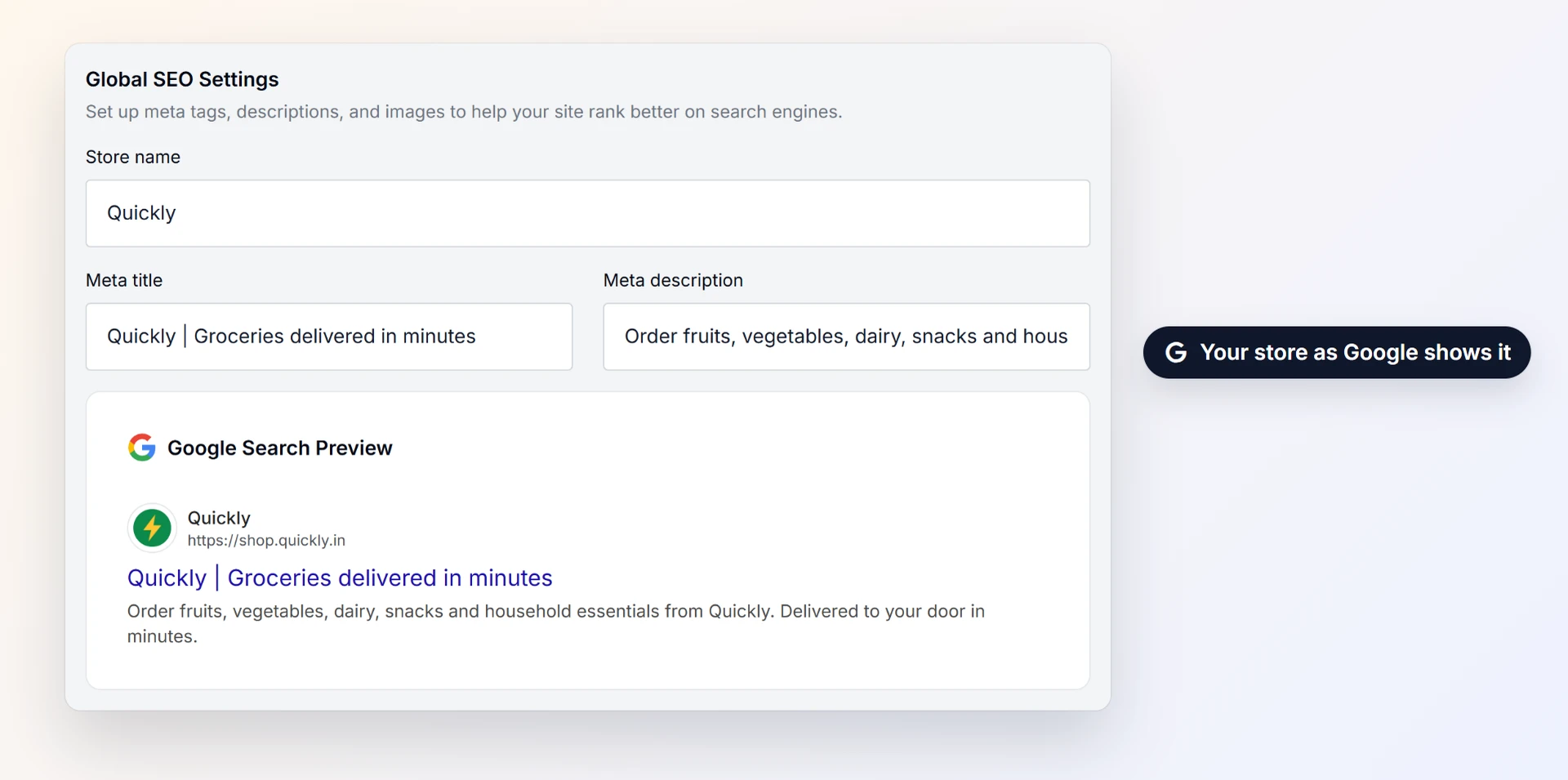
On Zepio your store runs on your own domain, with a free security certificate set up automatically. The SEO settings let you set the search title and description for every product, category, collection and page, add automatic prefixes and suffixes to titles in bulk, and choose share images. Zepio generates your sitemap, and you can verify your store in Google Search Console by pasting your verification code into the admin, and every product gets its own page and URL, with 0% commission on your sales.
Useful pages, clean structure, free listings and patience. That is SEO for an online store, without the mystery.
Questions people ask
How long does SEO take for an online store?
Do I need Google Merchant Center for SEO?
Will copying manufacturer descriptions get my store penalised?
Do meta keywords help SEO?
What is product structured data?
Sources
- Do you need an SEO?, Google Search Central
- SEO Starter Guide, Google Search Central
- Product structured data, Google Search Central
- Merchant listing structured data, Google Search Central
- Share your product data with Google, Google Search Central
- Free listings, Google Merchant Center Help
- Image SEO best practices, Google Search Central
- Managing crawling of faceted navigation URLs, Google Search Central
- Designing a URL structure for ecommerce sites, Google Search Central
- Site names in Google Search, Google Search Central
- Creating helpful, reliable, people-first content, Google Search Central
- Spam policies for Google web search, Google Search Central
- Mobile-first indexing has landed, Google Search Central Blog
Facts were checked against these sources on 22 Oct 2026. Rules and prices change: check the source before you rely on a figure. Read our editorial standards, or write to hi@zepio.io to report a mistake.