On this page
- Is a home cloud kitchen right for you?
- Step 1: Choose your food and build a short menu
- Step 2: Get your licences and registrations
- Step 3: Set up your kitchen for delivery
- Step 4: Package food so it arrives as good as it left
- Step 5: Price every dish for every cost, including commission
- Step 6: Get your first orders
- Step 7: Deliver the orders that come to you directly
- Step 8: Protect your ratings
- Step 9: Grow without losing quality
- Mistakes that close home kitchens
- Your launch checklist
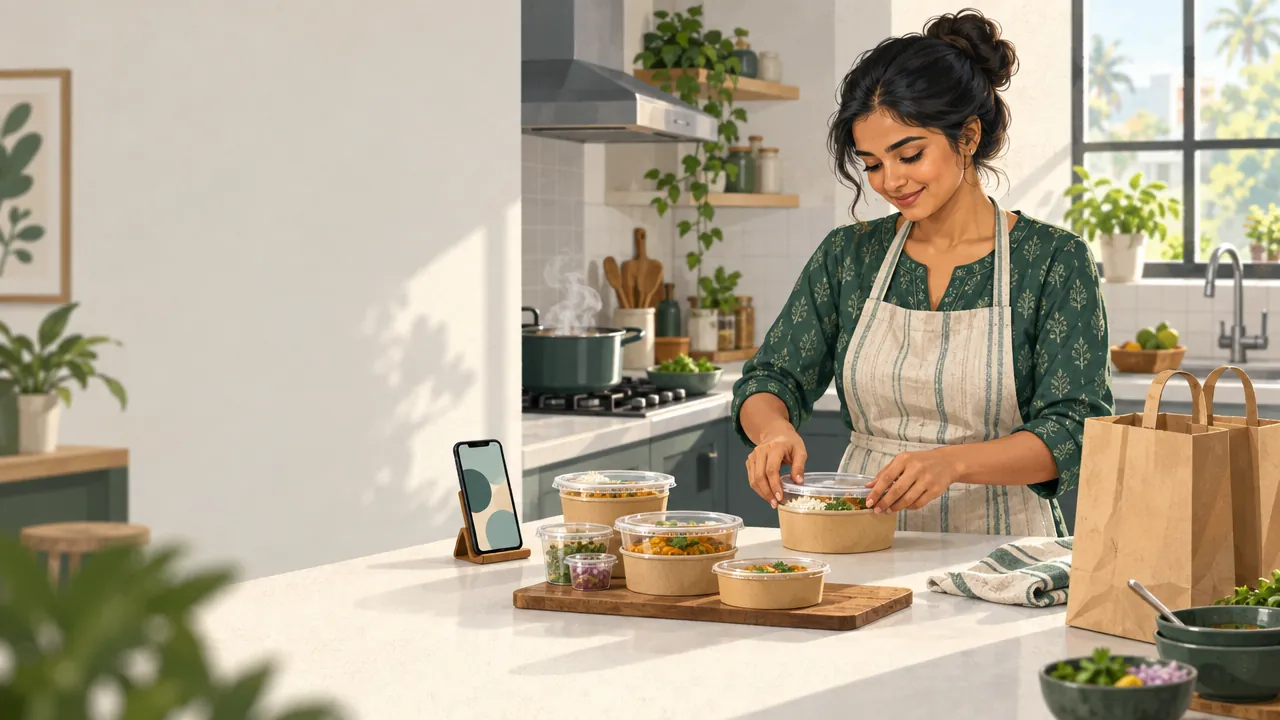
A cloud kitchen is a kitchen that cooks only for delivery and takeaway. It has no dining room, so you can start one in your own home kitchen. To begin, choose a short menu you can cook well every day, register with FSSAI, set prices that leave room for the commission food delivery apps charge, and give your regular customers a direct way to order from you.
This guide covers each step: what to cook, which licences you need, how to price after commission, how to package food that travels, and how to grow from a home kitchen into a business that earns well on every order.
Is a home cloud kitchen right for you?
A home cloud kitchen suits you if you can cook a few dishes really well, the same way every day, and can commit to fixed hours. It is a cooking job with a business attached: the food must leave on time, every time, packed so it arrives as good as it left your stove.
It is a good fit when:
- You have a specialty people already ask you for: a regional cuisine, home-style thalis, baked goods, healthy meals. (For cakes and bakes, our guide to starting a bakery business from home goes deeper.)
- You can cook in batches during a lunch or dinner window without the quality slipping.
- Your kitchen has space for prep, cooking and a packing area, and your housing society allows a small home business.
It is a harder fit if you want to cook something different every day or cannot keep regular hours. Ratings on delivery apps fall quickly when food or timing is inconsistent.
Step 1: Choose your food and build a short menu
The best home cloud kitchens are known for one thing. "North Indian thalis", "Kerala home meals" or "high-protein bowls" is easier to remember, cook and market than a menu of 80 dishes from five cuisines.
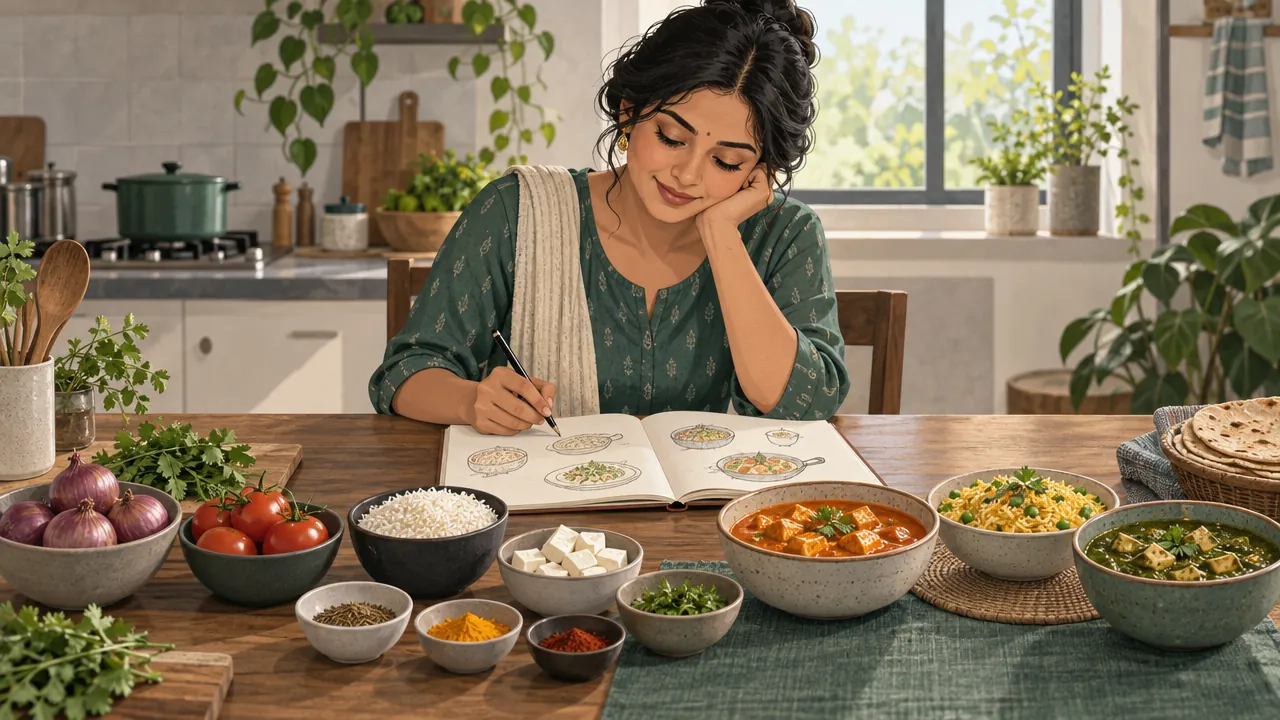
When you build the menu:
- Keep it to 10 to 20 items at the start.
- Share ingredients across dishes. One onion-tomato base can carry four curries; one marinade can serve a grill and a rice bowl.
- Choose food that travels well. Dosas and crisp fried snacks go soggy in the bag. Rice bowls, curries, rolls and biryani-style one-pot meals hold up.
- Add combos and add-ons: extra raita, a dessert, a drink. They raise the order value for little extra work.
- Write clear descriptions: portion size, spice level, veg or non-veg, and how many people it serves.
Tip: Cook every dish on your menu, pack it, and eat it 30 minutes later before you list it. That is how your customer will taste it.
Step 2: Get your licences and registrations
A home cloud kitchen needs the same food safety registration as a restaurant. The limits changed on 1 April 2026.
| What | Who issues it | What to know |
|---|---|---|
| FSSAI registration or licence | FSSAI, on the FoSCoS portal | Registration covers a yearly turnover up to ₹1.5 crore since April 2026. Above that you need a State licence, and above ₹50 crore a Central licence. |
| Trade or health licence | Your municipal corporation | Most cities ask for one for food businesses; the name differs by city. |
| GST registration | GST portal | Needed once your turnover passes your state's limit for services. |
| Fire safety certificate | Local fire department | Depends on your premises and city rules. |
| Housing society permission | Your society or landlord | Not a legal licence, but without it a home kitchen can be forced to close. |
How GST works for a home kitchen. Restaurant food is taxed at 5% GST without input tax credit. On orders placed through a food delivery app, the app collects and pays that 5% GST to the government, not you (Tally Solutions). This has been the rule since 1 January 2022 (CBIC Circular 167/23/2021-GST). On orders from your own website or app, you charge the GST yourself if you are registered. Ask an accountant to set this up from the start.
Step 3: Set up your kitchen for delivery
A home kitchen can handle a surprising number of orders if it is organised for delivery rather than for family meals.
- Prepare in advance. Chop, marinate and make bases before your order window opens.
- Set fixed hours. Lunch from 12 to 3 and dinner from 7 to 11 is easier to run, and easier for customers to remember, than being open all day.
- Make a packing station away from the stove, with containers, bags, labels and cutlery within reach.
- Keep a visible hygiene routine: clean surfaces, covered hair, gloves when handling cooked food, separate boards for raw and cooked food.
- Check your equipment. A second burner, a larger pressure cooker or a refrigerator with space for prepped ingredients often matters more than anything fancy.
What to budget for
A home cloud kitchen avoids a restaurant's biggest costs (rent, interiors, a dining team), but it still needs money up front. List these before your first order:
| Item | What it covers |
|---|---|
| Registration | FSSAI registration fee, trade licence, any consultant you use |
| Equipment gaps | A second burner, larger cookware, a refrigerator with space for prep, a packing table |
| Packaging stock | Containers, bags, seals and labels for your first month, bought in bulk |
| Ingredients | Your first two to three weeks, including the dishes you will test and throw away |
| Photos | Clean daylight photos of every dish, which decide clicks on the apps |
| A buffer | Two to three months of costs, because orders build slowly at first |
Food safety basics
Food that travels for 30 minutes in a bag needs more care than food served at a table.
- Cook to temperature and pack hot food hot. Do not let cooked food sit lukewarm between batches.
- Store raw and cooked food apart in the refrigerator, raw food on the lower shelves.
- Date every container of prepped ingredients and throw out what is past its use.
- Keep chilled items cold until they leave: salads, desserts, raita.
- Write down allergens in each dish, such as nuts, dairy and gluten, and show them on your menu.
Step 4: Package food so it arrives as good as it left
Packaging is part of the taste. A curry that leaks or a crisp dish that steams soft earns a one-star rating however good the cooking was.
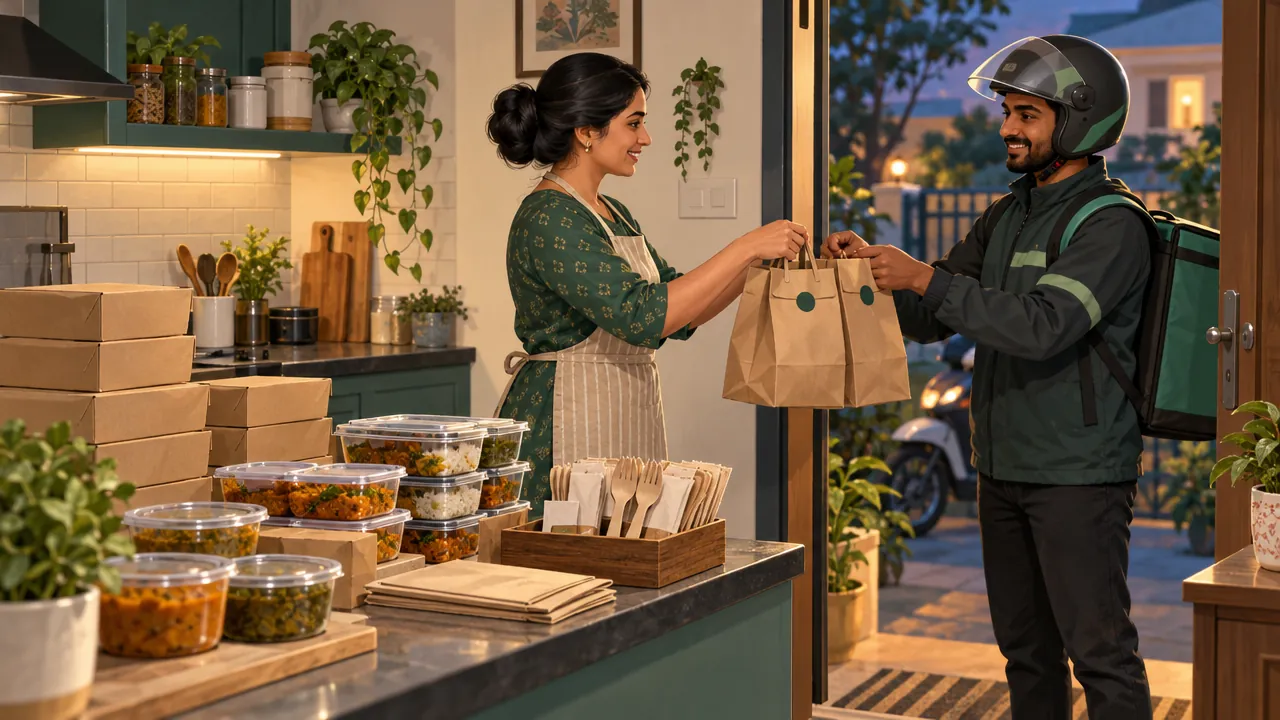
- Use leak-proof containers with lids that click, and separate containers for wet and dry food.
- Seal every bag with a tamper-proof sticker. Customers trust it, and it protects you in disputes.
- Label every order with the order number and the customer's name.
- Add cutlery and napkins only if the customer asks for them, or offer them as an option.
- Put a small card in the bag with your name, your WhatsApp number and a reason to order directly next time.
Step 5: Price every dish for every cost, including commission
This is where many home kitchens lose money. A dish that costs ₹75 to make and sells for ₹250 looks like a healthy margin, until the delivery app takes its commission, the packaging costs ₹15, a discount runs and little is left.
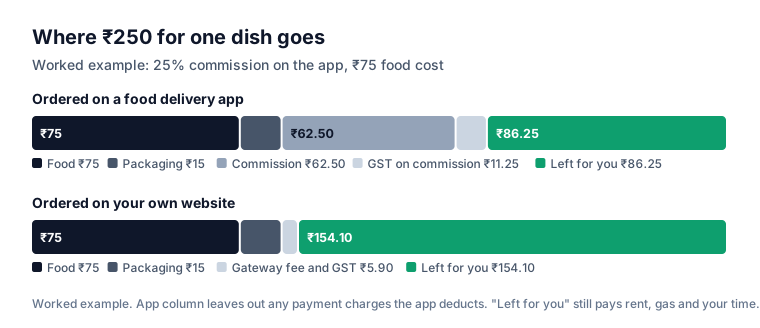
For each dish, write down:
- Food cost: ingredients for one portion.
- Packaging: container, bag, seal, cutlery.
- Delivery app commission: in a case the Competition Commission of India took up in April 2022, the National Restaurant Association of India said delivery apps charged restaurants 20% to 30% commission, and the same report put cloud kitchens at up to 37% (Moneylife). Your contract states your exact rate, and GST at 18% is added to the commission (Medianama; check your invoice).
- Discounts you fund when you join offers.
- Your time, gas and electricity.
Many kitchens list slightly higher prices on delivery apps than on their own website to cover commission. Read what Swiggy and Zomato commission really costs for a full breakdown, or run your own numbers in the marketplace commission calculator.
Step 6: Get your first orders
Food delivery apps, for discovery
Food delivery apps put you in front of people who have never heard of you. That is what their commission pays for, and it is worth it while you build a following. Listing usually needs your FSSAI number, PAN, bank account, GST details if registered, and a menu with photos.
In your first weeks:
- Take good photos in daylight, on a plain plate, from slightly above.
- Keep the menu short and mark your best two or three dishes as recommended.
- Reply to every review, especially the bad ones, politely and briefly.
- Stay open reliably. Switching off when you get busy hurts your ranking and your regulars.
Your own ordering, for regulars
Once a customer has tried your food and liked it, there is no reason to pay commission on every order they place after that. Give them a direct way to order:
- Your own website with your menu, add-ons and opening hours.
- Your own app, so you sit on their phone's home screen.
- A WhatsApp number for questions and quick orders (see how to sell on WhatsApp Business).
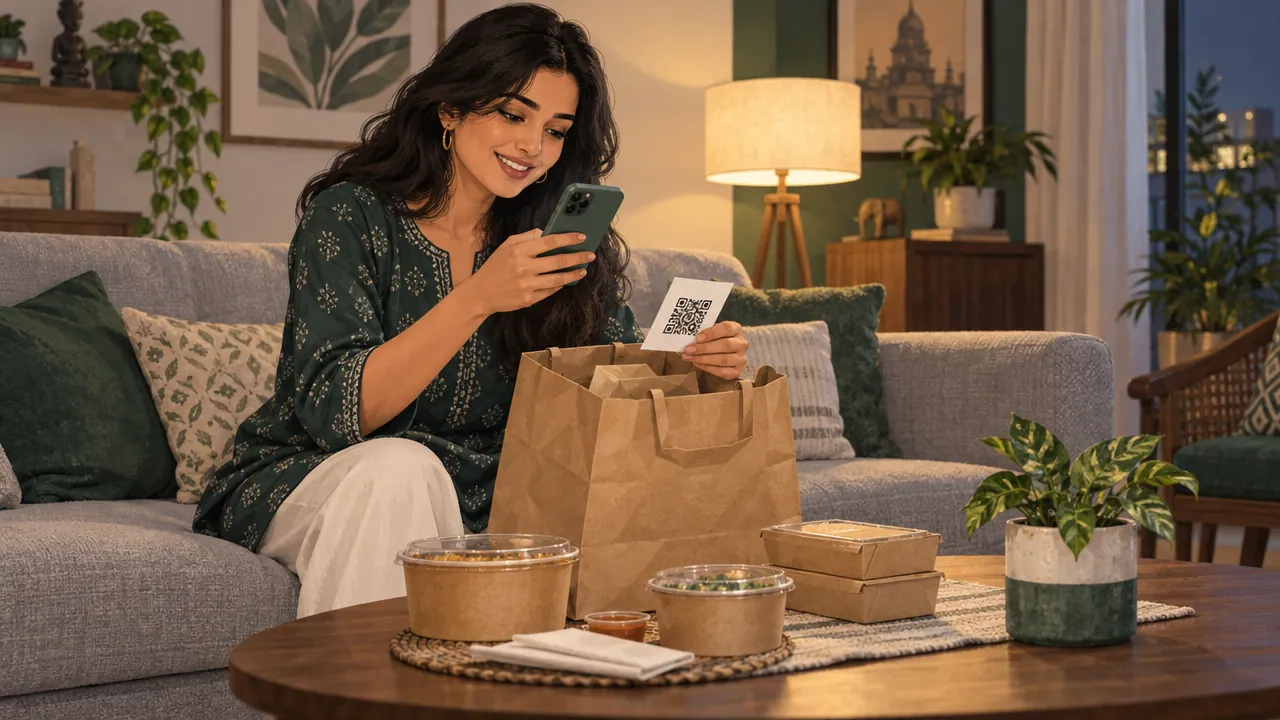
Put a card in every delivery app order: "Order directly next time" with a QR code to your website and a small first-order offer. Some regulars will move to direct ordering, and each of those orders carries no marketplace commission. Check your delivery app agreement first; some limit what you can put in the bag.
Step 7: Deliver the orders that come to you directly
For direct orders, you need your own delivery. You have two practical choices.
| Option | How it works | Best when |
|---|---|---|
| Your own delivery person | One person on a two-wheeler, paid per shift or per order, inside 3 to 4 km (hiring and paying delivery staff) | You get several direct orders in each meal window |
| A local delivery service | You book a pickup per order and pay per delivery | You get a few direct orders a day |
Whichever you use, confirm each delivery with an OTP from the customer, and keep your direct delivery area smaller than the apps' area at first so food arrives hot. To decide what customers pay for it, read how to set delivery charges.
Step 8: Protect your ratings
On food delivery apps, ratings decide how often you appear, and on your own site they decide whether a new visitor orders. These complaints come up again and again, and each has a simple fix.
| Complaint | Usual cause | Fix |
|---|---|---|
| "Cold food" | Food packed early, or a long wait for pickup | Pack only when the delivery partner is close; use insulated bags |
| "Leaked" | Lids that do not seal | Better containers; tape the lid on curries |
| "Small portion" | Portions vary between cooks or days | Weigh portions; show the portion size on the menu |
| "Late" | Too many orders accepted at peak | Pause new orders for 15 minutes when the kitchen is full |
| "Missing item" | Busy packing | A checklist at the packing station; tick each item |
Reply to every review, briefly and politely. A calm reply to a bad review shows the next customer you care.
Step 9: Grow without losing quality
- Watch ratings and reviews every day and fix anything mentioned twice.
- Add one new dish a month and remove the ones nobody orders.
- Run a second brand from the same kitchen once the first is steady: a breakfast or snack brand in a different time window, using the same staff and equipment.
- Move to a commercial kitchen when your home kitchen is full every evening and your orders stay full for two months in a row.
- Hire help before you burn out. A helper for prep and packing lets you send out more orders without rushing.
Mistakes that close home kitchens
Pricing from food cost alone. Commission, packaging and discounts can take most of the margin. Price after every cost.
A huge menu. It looks generous and creates waste, delays and inconsistent food.
Ignoring packaging. Leaks and soggy food cost ratings just as surely as slow delivery.
Depending only on apps. If every order pays commission, growth makes you busier, not richer. Build direct ordering from week one.
Skipping the society conversation. Complaints from neighbours about delivery traffic can close a home kitchen, so talk to your society first.
Your launch checklist
- FSSAI registration on FoSCoS, number on your menu, website and invoices
- Trade or health licence and any local permissions your city requires
- GST checked with an accountant
- A menu of 10 to 20 dishes, each cooked, packed and tasted after 30 minutes
- Prices worked out after commission, packaging and discounts
- Leak-proof containers, tamper seals and labels
- Listed on at least one food delivery app
- Your own website and ordering link, with a card for every bag
- A plan for direct deliveries: your own person or a local service
Starting from home keeps your costs low while you prove that people love your food. Build your own ordering channel from the start, and each new regular makes the business stronger instead of more dependent on commission.
Questions people ask
Can I legally run a cloud kitchen from my home?
Which licences does a cloud kitchen need?
How much does it cost to start a cloud kitchen at home?
How many dishes should a cloud kitchen menu have?
How do cloud kitchens get their first orders?
How do I deliver orders that customers place directly with me?
Sources
- Order on revised turnover thresholds for registration and licensing (13 March 2026), FSSAI
- FoSCoS: FSSAI registration and licensing portal, FSSAI
- GST on restaurant services: dine-in vs takeaway vs delivery apps, Tally Solutions
- Competition Commission orders probe into conduct of Zomato, Swiggy, Moneylife
- Razorpay pricing, Razorpay
- Circular 167/23/2021-GST: restaurant services through e-commerce operators, CBIC (hosted by the GST Council)
- Restaurants hike prices on Zomato, Swiggy (18% GST on platform services), Medianama
Facts were checked against these sources on 19 Oct 2026. Rules and prices change: check the source before you rely on a figure. Read our editorial standards, or write to hi@zepio.io to report a mistake.