On this page
- Step 1: Choose what the QR code opens
- Step 2: Build a menu customers can read on a phone
- Step 3: Make the QR code
- Step 4: Print and place it well
- Step 5: Follow FSSAI's menu rules
- Step 6: Use the same menu to win direct orders
- Step 7: Keep it up to date
- Mistakes to avoid
- Your QR menu checklist
- How Zepio helps
To create a QR code menu for your restaurant, put your menu on a web page you can update, make a QR code that points to that page, and print it on durable table cards at each table and the counter. Show the veg and non-veg symbols and allergens that FSSAI requires. If the menu page also takes orders, the same code brings you direct delivery and pickup orders later.
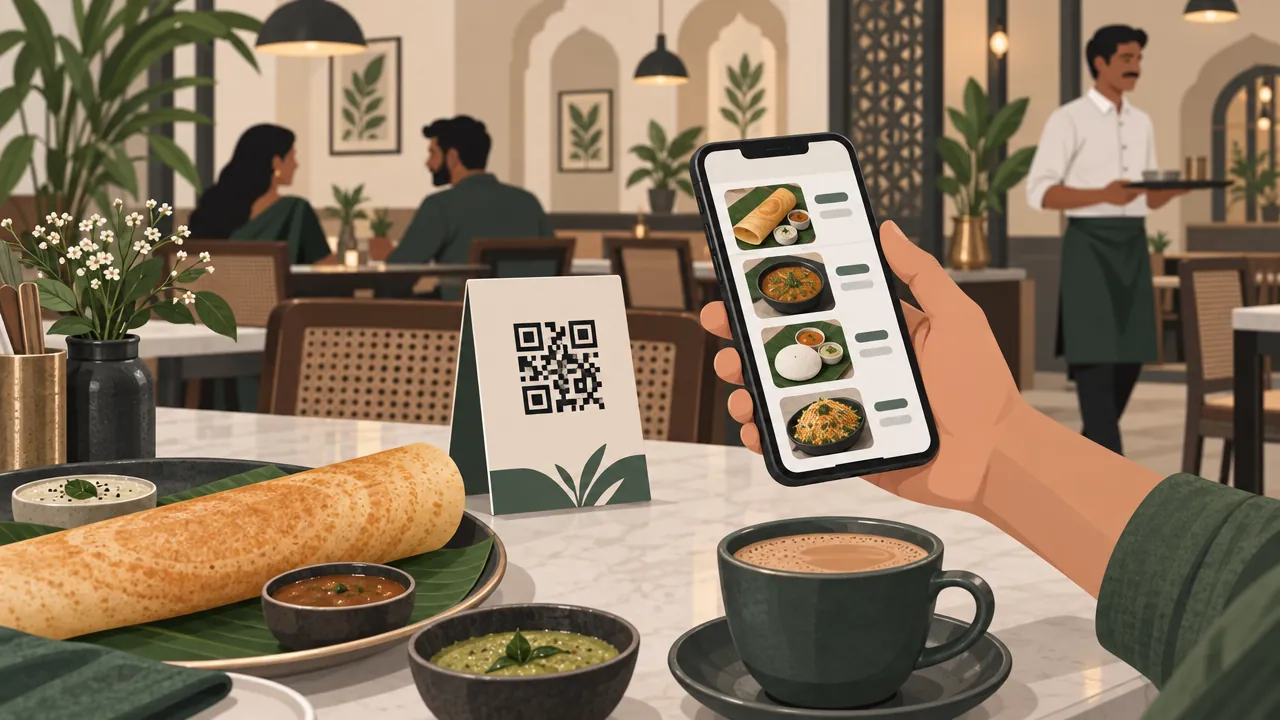
A QR code menu is a printed square code that customers scan with their phone camera to open your menu. This guide covers what to link to, how to make a code that survives spills, how to print and place it, and the FSSAI menu rules.
Step 1: Choose what the QR code opens
The code is only as good as the page behind it. You have three choices:
| Option | Good | Problem |
|---|---|---|
| A PDF or image of your printed menu | Quick to set up | Slow on phones, tiny text, must be re-uploaded for every change |
| A free digital menu page | Easy to update | May be view-only; customers cannot order |
| Your own online menu with ordering | Updates instantly; customers can order delivery or pickup | Takes an hour or two to set up |
A web page that you can edit is better than a PDF in almost every case. Prices change, dishes run out, and a PDF needs a new upload every time.
Step 2: Build a menu customers can read on a phone
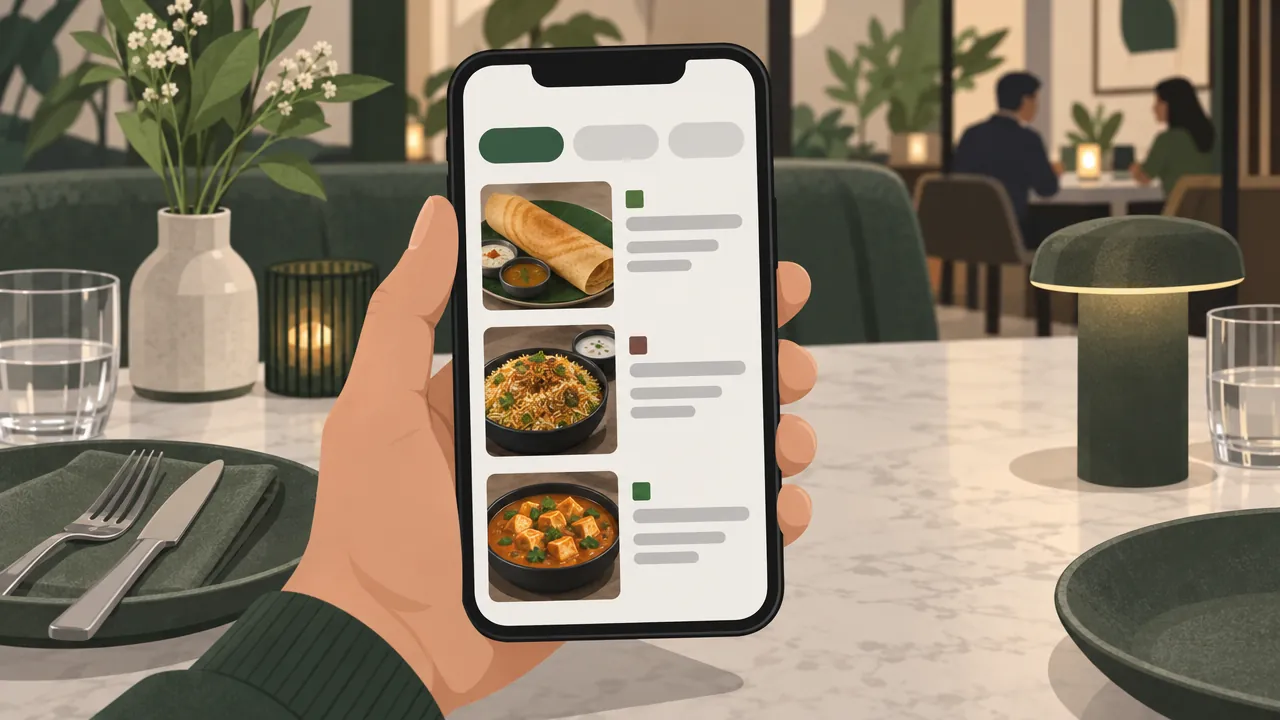
Phone menus fail when they copy a printed menu. Build it for a small screen:
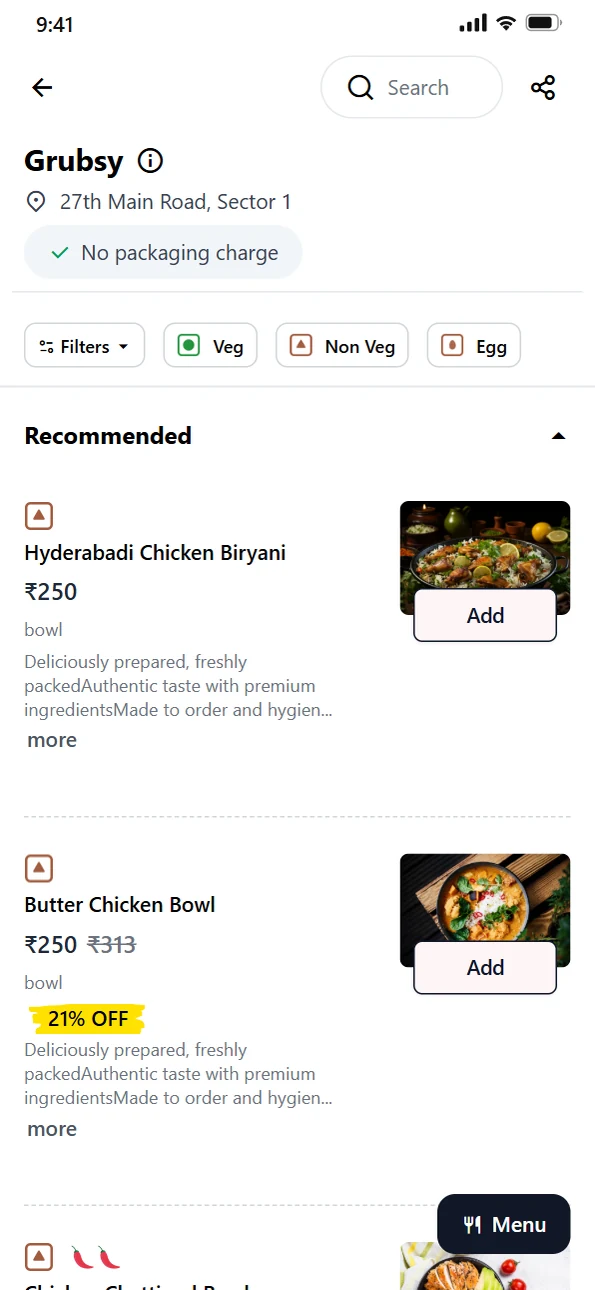
- Categories first: Starters, Mains, Breads, Desserts, Drinks. Customers tap the one they want.
- Short names and one-line descriptions: "Paneer tikka: charcoal-grilled paneer, mint chutney".
- Real photos of your top dishes, not stock images.
- Prices for each size or portion, and add-ons listed clearly.
- Timings: mark breakfast-only or weekend-only dishes, and hide dishes that are not available.
- Veg, non-veg and egg markers on every item (see Step 5).
Step 3: Make the QR code
- Copy the link to your menu page.
- Open a QR code generator and paste the link.
- Choose the error correction level. QR codes can still be read when they are partly dirty or damaged. DENSO WAVE, the company that invented the QR code, says level M (15%) is the most frequently selected, and level Q or H suits places where codes get dirty (QRcode.com). Restaurant tables count.
- Download a high-resolution image (PNG or SVG) for printing.
- Test it on two or three different phones before you print.
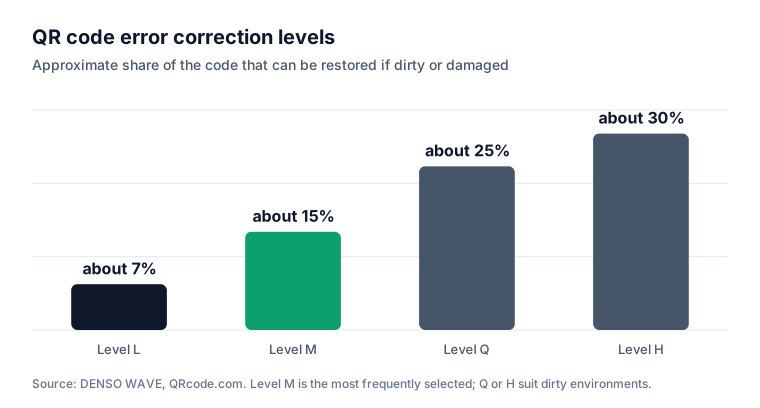
Higher error correction makes the code denser, so do not print it too small. Level M is fine for a laminated card; Q or H helps on a sticker that gets wiped and splashed every day.
Step 4: Print and place it well
| Where | How |
|---|---|
| Each table | A standing card or a sticker on the table, laminated |
| Entrance and counter | A larger poster for takeaway customers |
| Takeaway bags and bills | So customers can order delivery next time |
| Your Google Business Profile | Add the menu link so people see it before they visit |
Print tips:
- Size: big enough to scan from where customers sit or stand. Print one test card and try it from a chair before printing the batch; posters read from a distance need larger codes.
- Contrast: dark code on a light background. Do not invert the colours.
- Quiet zone: leave a white margin around the code.
- One line of text under it: "Scan for menu. Order home delivery from the same page."
Step 5: Follow FSSAI's menu rules
FSSAI's Food Safety and Standards (Labelling and Display) Regulations, 2020 cover menu cards, boards and booklets. They do not name QR menus, so show the same information on your digital menu (FSSAI):
| Rule | Who it applies to |
|---|---|
| Allergen information against menu items (symbols allowed) | All food service establishments |
| Veg or non-veg logo against menu items | All food service establishments |
| Calories per serving and serving size, plus the statement that an average active adult needs 2,000 kcal a day | Establishments with a Central licence or outlets in 10 or more locations |
| Nutrition information on request, by booklet, handout or website | All food service establishments (regulation 9(4)) |
The veg and non-veg logos are described in our guide to FSSAI registration for a home food business. The regulations list allergens to declare, including cereals with gluten, crustaceans, milk, eggs, fish, nuts and soy. Event caterers, food service premises that operate for fewer than 60 days in a calendar year, free self-serve condiments not on the menu, and special-order items are exempt. These display rules apply from 1 January 2022 (FSSAI compendium dated 23 September 2021; check fssai.gov.in for later amendments).
Note: The regulations do not exempt QR menus. Put the symbols and allergens in your digital menu, the same as a printed one.
Step 6: Use the same menu to win direct orders
A QR code at the table reaches people who are already in your restaurant. The next time they are hungry at home, the same menu page can take their order for delivery or pickup, without the commission a food delivery app charges. Our guide to Swiggy and Zomato commission shows how much a direct order can save.
Put the code on takeaway bags and bills with a line such as "Order direct next time". Our guide to getting your business on Google Maps shows how to add your menu link to your Google profile too.
Step 7: Keep it up to date
- Change prices on the page, never on the printed card. The code stays the same.
- Hide sold-out dishes during service.
- Check the code monthly: scan each table card, replace any that are scratched or faded.
- Look at what people open most: your best-sellers deserve the best photos.
Mistakes to avoid
Linking to a PDF. Slow, hard to read and soon out of date.
Printing a QR code from a free service that can expire. If the link breaks, every printed card stops working. Point the code at a page on your own website.
Codes too small or too low contrast. Test from a normal sitting distance.
No veg or non-veg markers. Customers need them, and FSSAI requires them.
Forgetting staff. Some guests still want a printed menu; keep a few.
Your QR menu checklist
- Menu on a web page you can edit, built for phones
- Categories, photos, prices, add-ons and timings added
- Veg or non-veg logo and allergens on every item
- Calories shown if you have a Central licence or 10+ outlets
- QR code made with level M or higher error correction and tested on several phones
- Laminated cards on every table, posters at the counter
- Code also on takeaway bags, bills and your Google profile
- Monthly check of every printed code
How Zepio helps
With Zepio your menu is your own website and app, so the QR code points to a page you control. Add categories, dishes with photos, variants and add-ons, veg, non-veg and egg markers, spice levels and per-dish timings. Customers who scan can browse at the table and order delivery or pickup from home, with online payment or cash, and every order arrives in one admin with 0% commission on your sales.
Make the code once, keep the menu behind it fresh, and every table becomes a way to bring customers back.
Questions people ask
How do I make a QR code menu for free?
Should a QR code menu link to a PDF?
What must a restaurant menu show under FSSAI rules?
Do QR codes stop working if they get dirty?
Can customers order from a QR code menu?
Sources
- Compendium: Food Safety and Standards (Labelling and Display) Regulations, 2020, FSSAI
- Error correction feature, DENSO WAVE (QRcode.com)
Facts were checked against these sources on 22 Oct 2026. Rules and prices change: check the source before you rely on a figure. Read our editorial standards, or write to hi@zepio.io to report a mistake.